

A website’s ranking depends on three main things:
On-page SEO (what you do on your website pages)
Off-page SEO (what happens outside your website, like backlinks)
Technical SEO (the behind-the-scenes setup)
Now, don’t think of this as some step-by-step order. It’s not like, “first do this, then do that.”
All three are types of SEO and important in their own way, like different players in a team.
Today, we’re focusing on the real backbone of your website, technical SEO.
Because here’s the truth: if your website’s technical side is broken, no amount of great SEO content or backlinks can save it. It’s like having a beautiful car with shiny paint but no engine. 😅
What is technical SEO?
Technical SEO refers to optimizing your website’s infrastructure to make sure it’s accessible, crawlable, and indexable by search engines.
It’s the process of making your site technically sound so that search engines can easily understand and rank it.
In simple terms, it answers questions like:
→ Can search engines find your website?
→ Can they navigate it efficiently?
→ Is your site secure, fast, and mobile-friendly?
Why is technical SEO important?
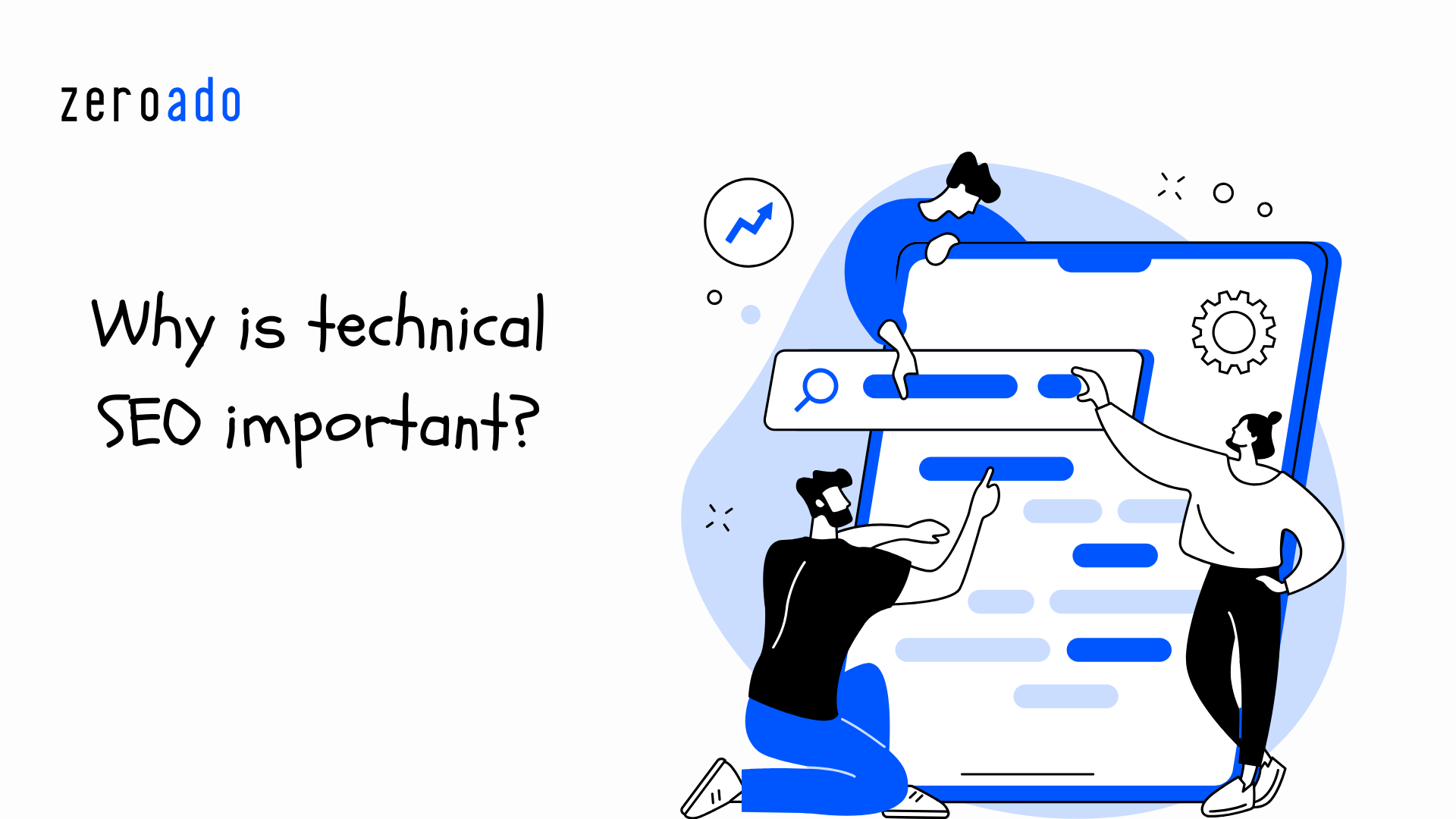
Imagine you want to cook a great meal. You have all the ingredients, and you know the recipe. But when you turn on the gas stove, you realize there’s no gas.
Can you cook the meal?
Of course not!
In the same way, no matter how good your website content is (on-page SEO) or how many SEO backlinks you have (off-page SEO), if the technical setup (technical SEO) isn’t right, your website won’t perform.
So, let’s see some more points on why technical SEO plays such a critical role in your website’s success:
→ Search engines love it: If Google bots can’t read your site, it doesn’t matter how good your content is, it won’t rank.
→ A win-win situation: A fast, secure, and mobile-friendly website isn’t just good for search engines, it’s great for users.
→ It gives you an extra advantage: A strong technical setup helps you outrank competitors who ignore these technical SEO basics.
Technical SEO practices that make your website perform like a pro
Below is the list of technical SEO practices that we follow at ZeroAdo.
These practices not only help your site rank better on Google but also make it easier for AI-driven search engines (like Google AI Overview, Perplexity, Bing Copilot, and ChatGPT search) to understand and showcase your content.
They’ve helped us to:
→ Drive more organic traffic
→ Improve user experience
→ Achieve higher rankings
→ Generate more leads
→ Stay visible in AI-powered search results
Curious to know how? Let’s start.
Technical audits and monitoring

Start by performing a comprehensive site audit to identify any technical issues affecting your website’s performance. Use SEO tools like Google Search Console, Screaming Frog, or Ahrefs for this process.
During the audit, check for:
- 404 errors (Not found): Pages that no longer exist online.
- Blocked by robots.txt: Pages restricted from search engine crawling.
- Pages with redirects: URLs pointing to another page.
- Missing meta tags: Missing or incomplete title and description tags.
- Indexing issues: Pages not appearing in search results.
- Broken internal and external links: Links leading to non-functional destinations.
- Slow pages: Pages taking too long to load.
- Images missing alt text: Images lacking descriptive text for accessibility.
- Duplicate content: Similar or identical content on multiple pages.
- Structured data errors: Incorrect schema markup causing rich snippet issues.
And I’m probably missing a few. 🙂
Don’t worry!
I’m going to cover all those things (and more) in the rest of this guide.
P.S. If this list feels like a lot to handle (which it usually is for most teams), it’s worth taking inspiration from how the best company for SEO in India approaches technical audits in a systematic, and data-backed way, and built to make your website search-friendly from the ground up.
Website crawlability and indexing
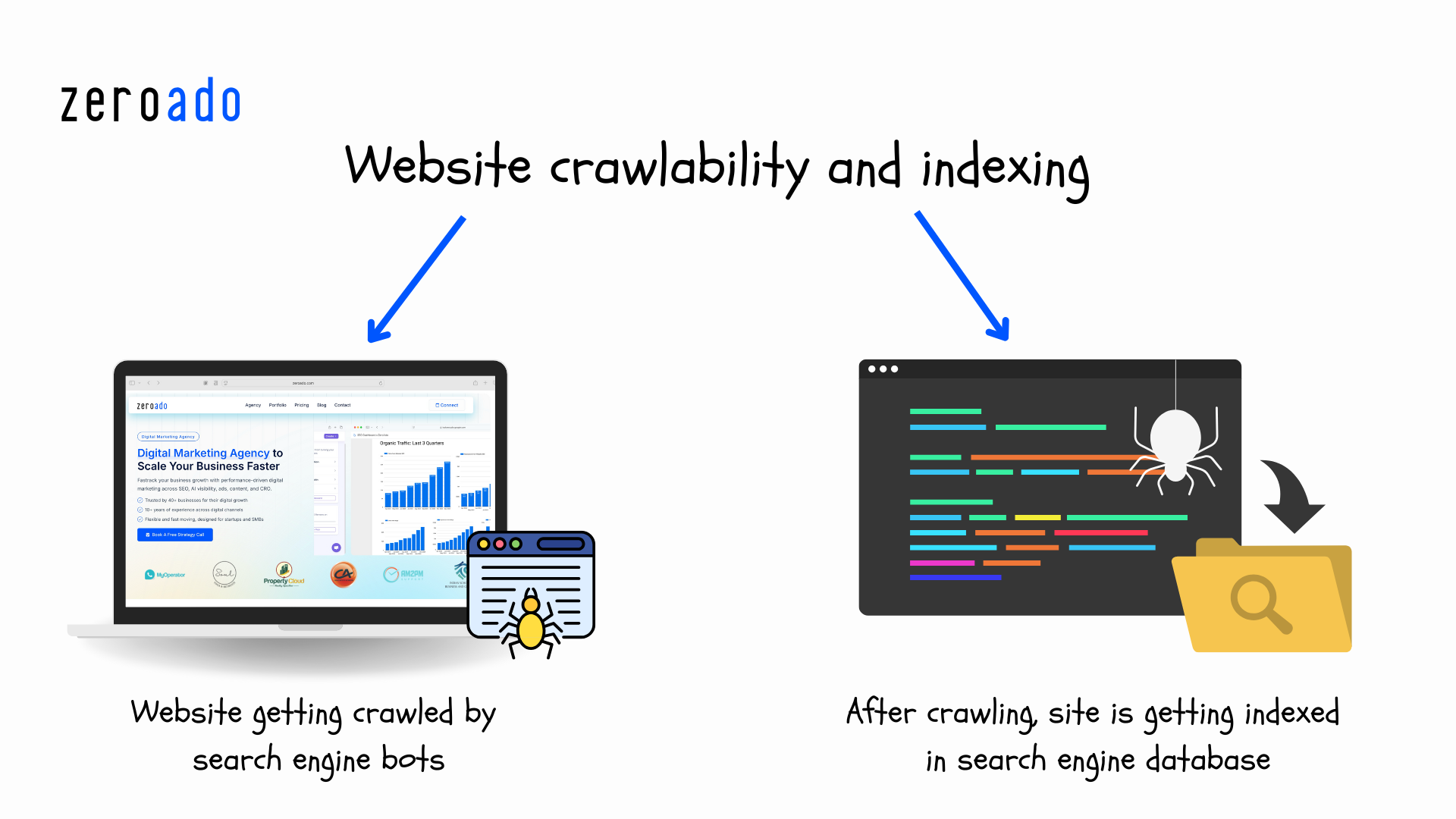
Make sure search engines can easily crawl and index your important pages. For this, you need to optimize two things:
- Robots.txt file
- XML sitemap
Robots.txt file
A robots.txt file tells search engines which pages of your website they should crawl and which ones to skip. This helps you block search engines from indexing pages that are unnecessary (like admin pages) or private.
👉 WordPress: If you’re using SEO plugins like Yoast or Rank Math, a robots.txt file is already created for you. You can edit it directly inside the plugin.
👉 Webflow: Go to Project Settings → SEO and you’ll find the robots.txt editor there.
If you want to create a custom file, you can use free tools like the Robots.txt Generator by SEOptimer.
Once it’s ready, make sure your file is live at:
👉 https://yourwebsite.com/robots.txt
And always test it using Google’s robots.txt Tester to ensure it works properly.
XML sitemap
An XML sitemap helps search engines discover and index your important pages more efficiently.
After creating a sitemap, it is essential to publish it on your site so search engines can find and use it. Here’s what you need to do:
Steps: How to publish a sitemap
WordPress → If you use Yoast or Rank Math, your sitemap is auto-generated at: yourwebsite.com/sitemap_index.xml.
Webflow → Go to Project Settings → SEO and turn on “Generate Sitemap.”
Shopify → Your sitemap is ready by default at: yourstore.com/sitemap.xml.
💡 Most modern platforms handle this for you. Just double-check your robots.txt to make sure the sitemap link is listed.
For example:
| User-agent: * Disallow: /private/ Sitemap: https://zeroado.com/sitemap.xml |
Code explanation.
→ User-agent: * – Applies the rule to all search engine crawlers like Googlebot, Bingbot, etc.
→ Disallow: /private/ – Stops search engines from accessing the private folder to keep unnecessary or private content out of search results.
→ Sitemap: https://zeroado.com/sitemap.xml – Tells search engines where to find your sitemap so they can quickly find and index your important pages.
Optimize website architecture

Imagine this URL:
https://zeroado.com/8736dfk94/product/details?cat=12&item=9834
Now compare it with this one:
https://zeroado.com/blog/seo-companies-in-india
Which one do you trust more?
Obviously second!
Why?
Because it is clean, easy to read, and tells you exactly what the page is about.
This is the power of an optimized website architecture.
A well-structured website ensures:
- Both users and search engines can easily find important pages.
- Content is organized in categories and subcategories to navigate easily.
- Clean and descriptive URLs improve user trust and help search engines understand the page better.
How to optimize website architecture?
Organize content
Group related pages into categories and subcategories. For example:
- Main category: Products
- Subcategory: Wireless Headphones
- Subcategory: Gaming Accessories
Internal linking
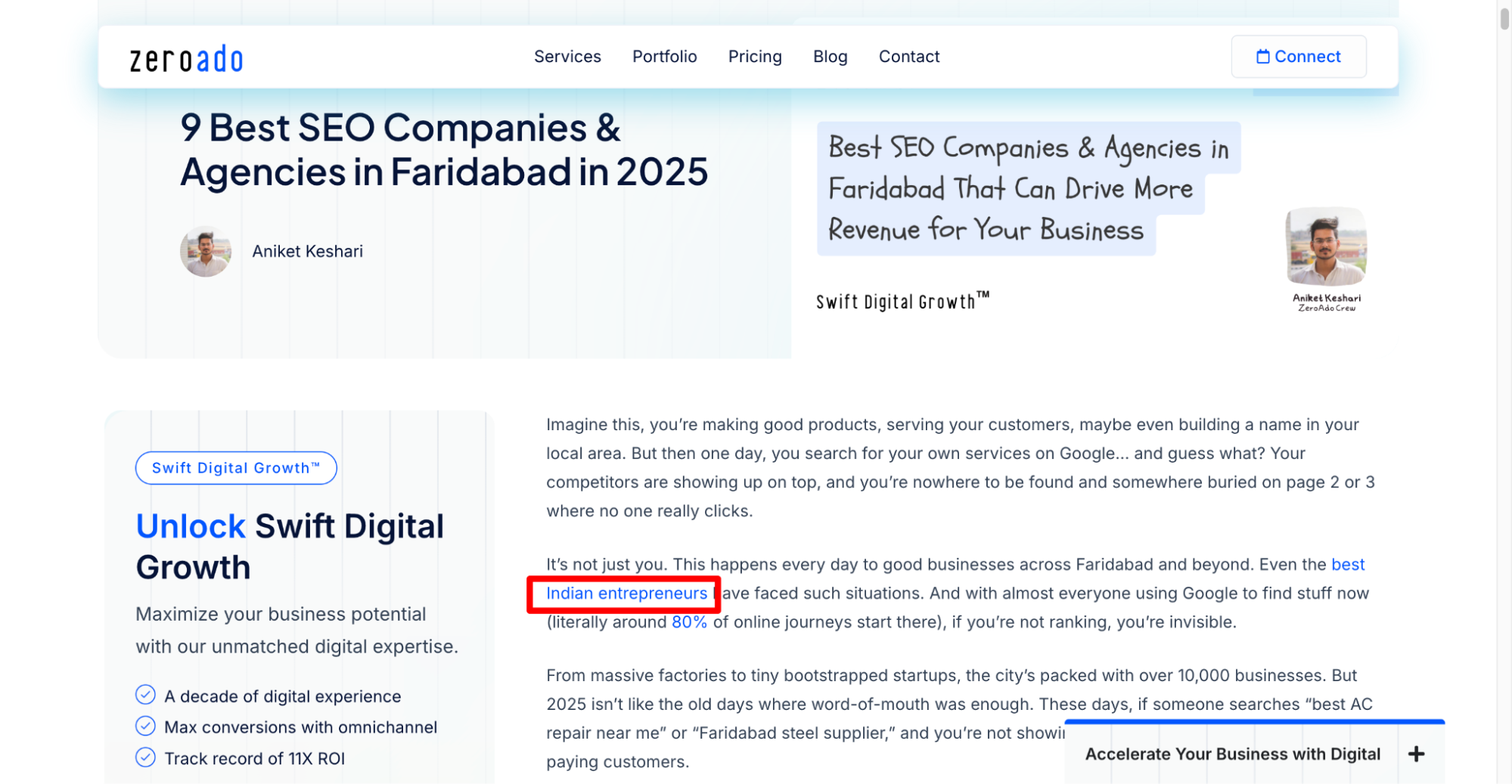
Add links between related pages to guide users and search engines.
For example, in the image above, I’ve added an internal link to a blog about Indian entrepreneurs, using the anchor text ‘best Indian entrepreneurs’, on the blog Faridabad SEO companies.
Use breadcrumb navigation
This helps users understand where they are on your site.
For example: Home > Products > Wireless Headphones
Optimize URL structure
Keep your site URLs simple and meaningful. Avoid using random numbers or characters.
Avoid: https://zeroado.com/blog/top-companies-in-faridabad/blog?981
Use: https://zeroado.com/blog/top-companies-in-faridabad
Fix broken links
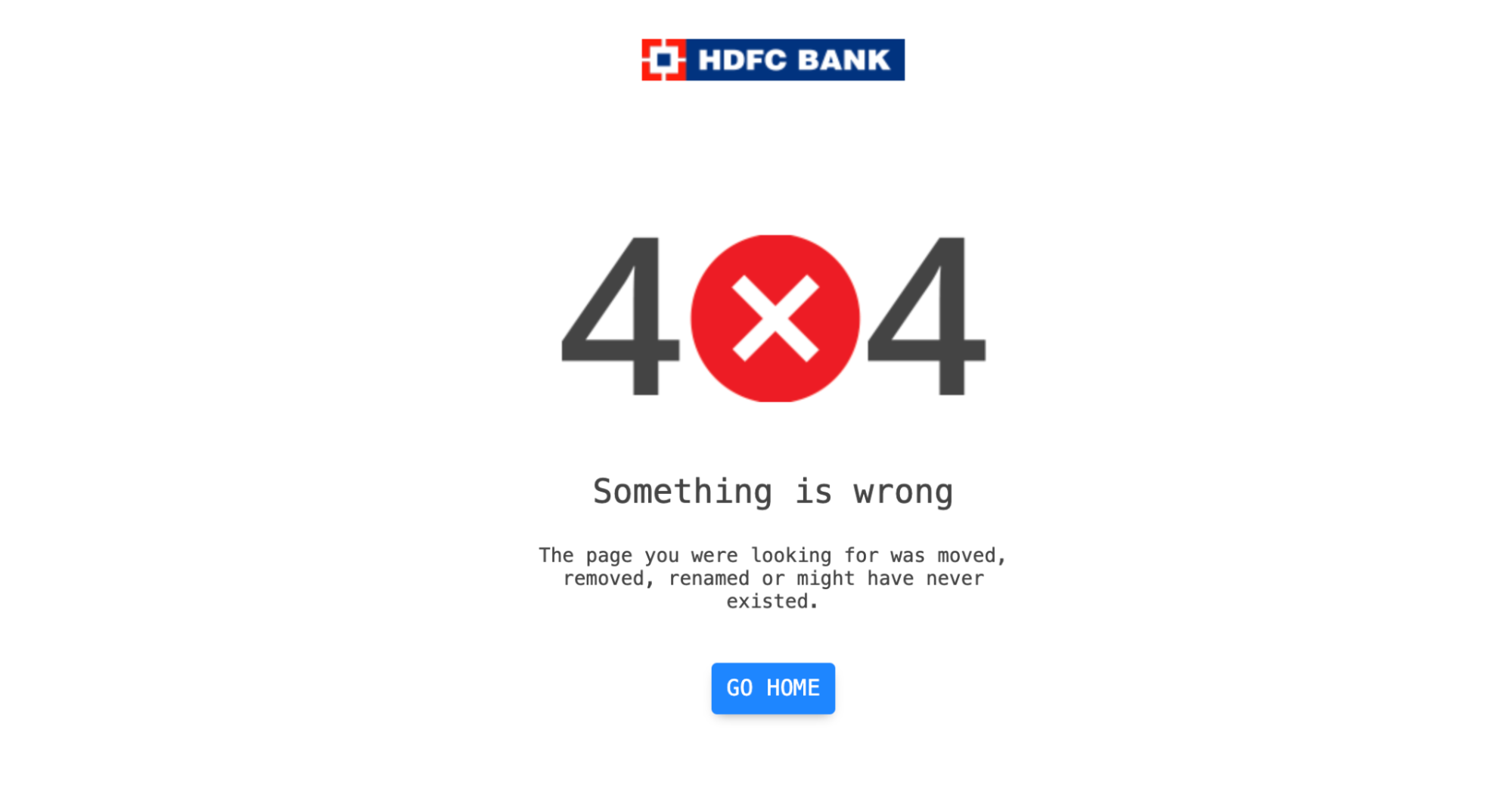
It’s sad when you visit a website and it shows a broken link with a frustrating 404 error page. It leaves you feeling stuck, right? Similarly, your visitors, and search engines don’t like broken links either.
It will hurt your website in two ways:
- Bad user experience: Visitors get frustrated and may leave your site.
- Negative SEO impact: Search engines see your site as poorly maintained and lowers your rankings.
How to fix broken links?
Remember the technical SEO audit you’ve done in first step?
They’re not done working for you yet!
It has a list of 404 error URLs which you need to resolve.
Okay, how?
Redirect the link
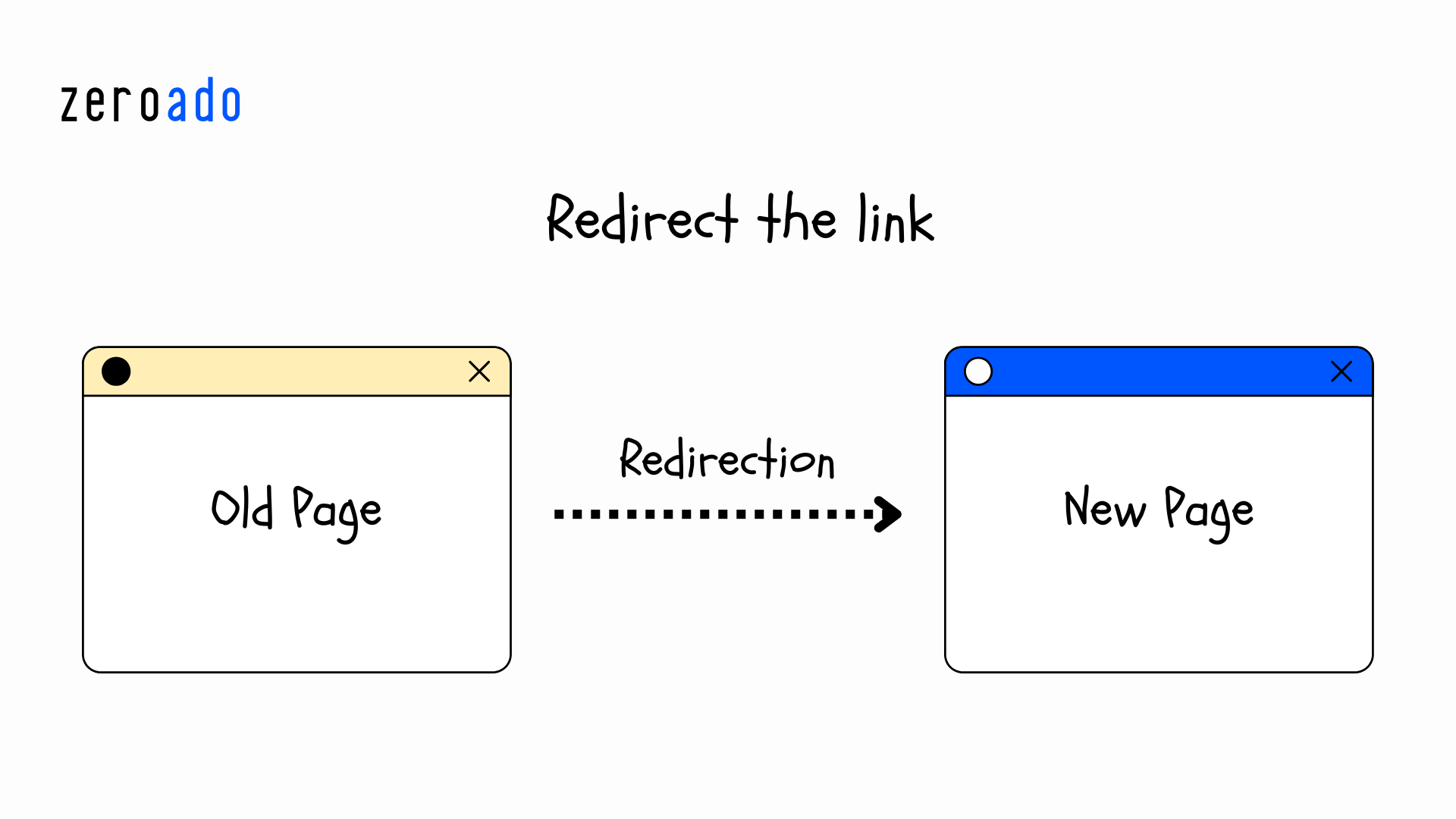
If the content has moved permanently, use a 301 redirect to send users to the correct page. And if the move is temporary, use a 302 redirect (though 301 is preferred for SEO).
Update or replace links
If the broken link points to deleted, or outdated content, either replace it with a relevant link or remove it.
Pro tips:
- Perform regular checks I mean schedule monthly or quarterly scans to keep your website free of broken links.
- Don’t forget to customize your 404 error page! Add a friendly message, navigation links, or a search bar so visitors don’t leave your site immediately.

Structured data implementation
Ever noticed Google showing extra details in search results, like FAQs, star ratings, or step-by-step guides?
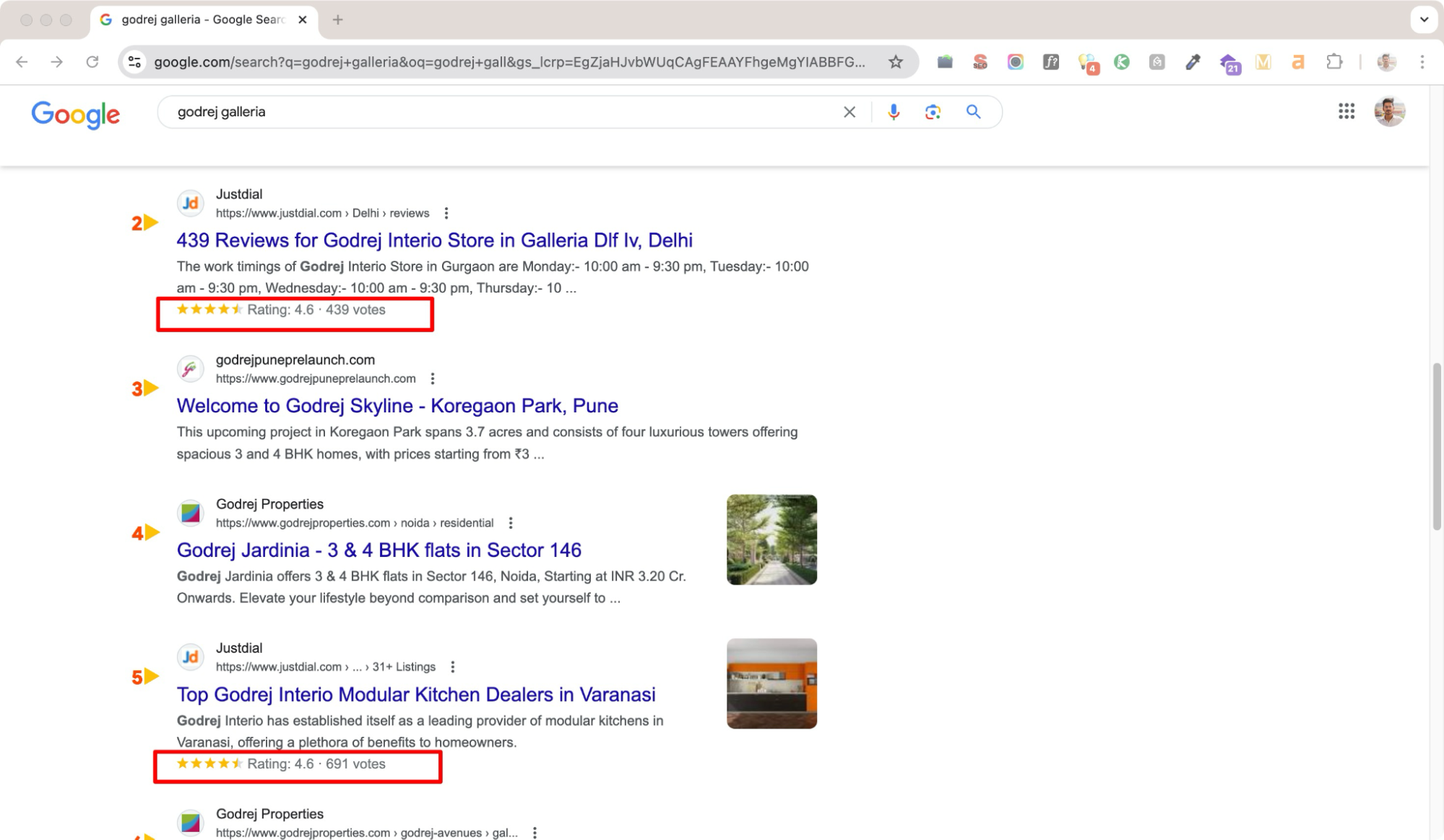
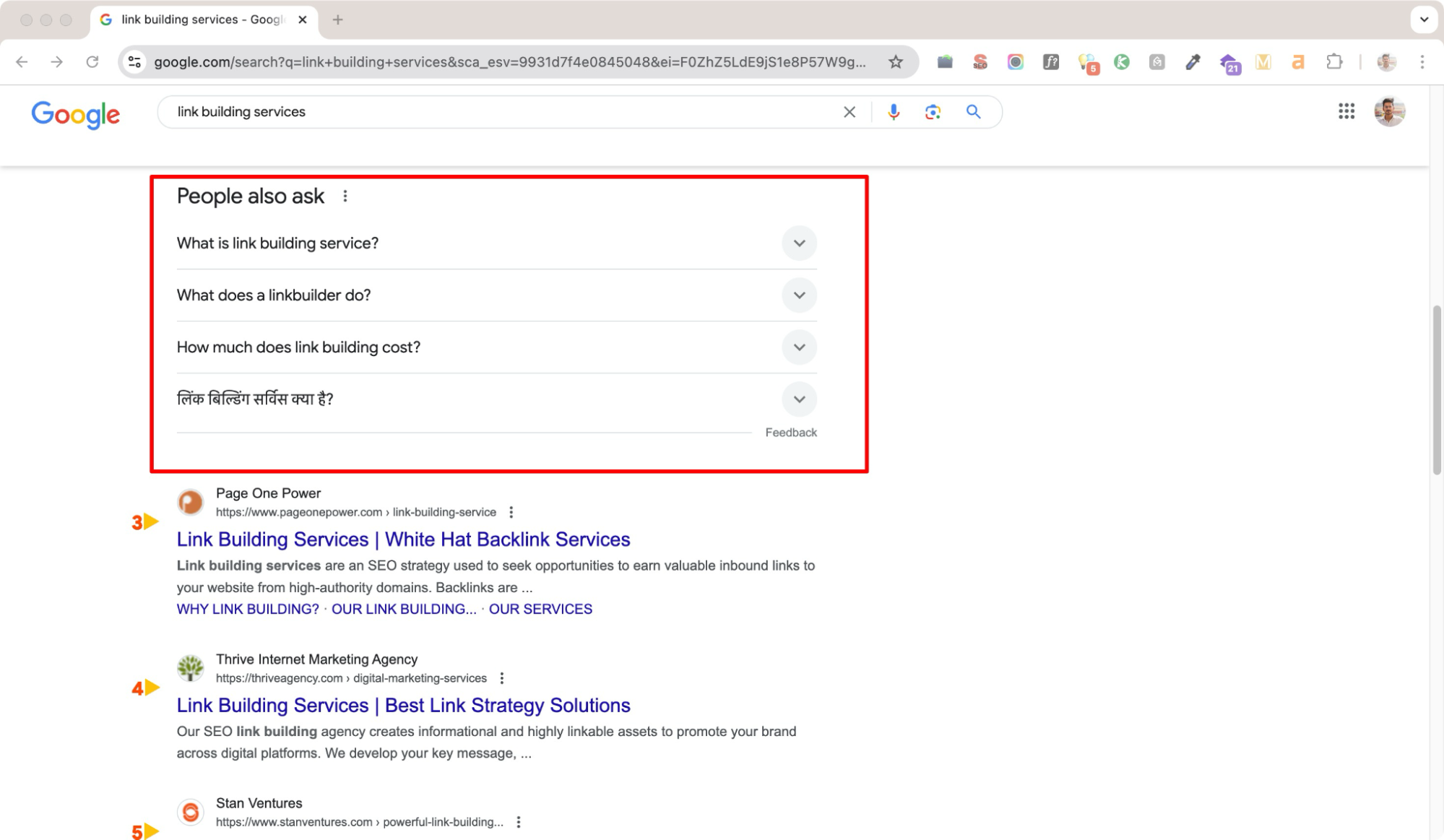
That’s happening because of structured data implementation!
It helps search engines better understand your content and makes your website eligible for rich snippets (those fancy results inside the red borders).
These rich snippets improve your website’s authority in search result appearance by showing additional information. Here are some common types of snippets:
⭐ Star ratings for products
🥘 Recipe instructions
👍 Votes or reviews
❓ FAQs or “How-to” guides
How to implement structured data?
- Generate the code
You can use tools like Google’s Markup Helper.
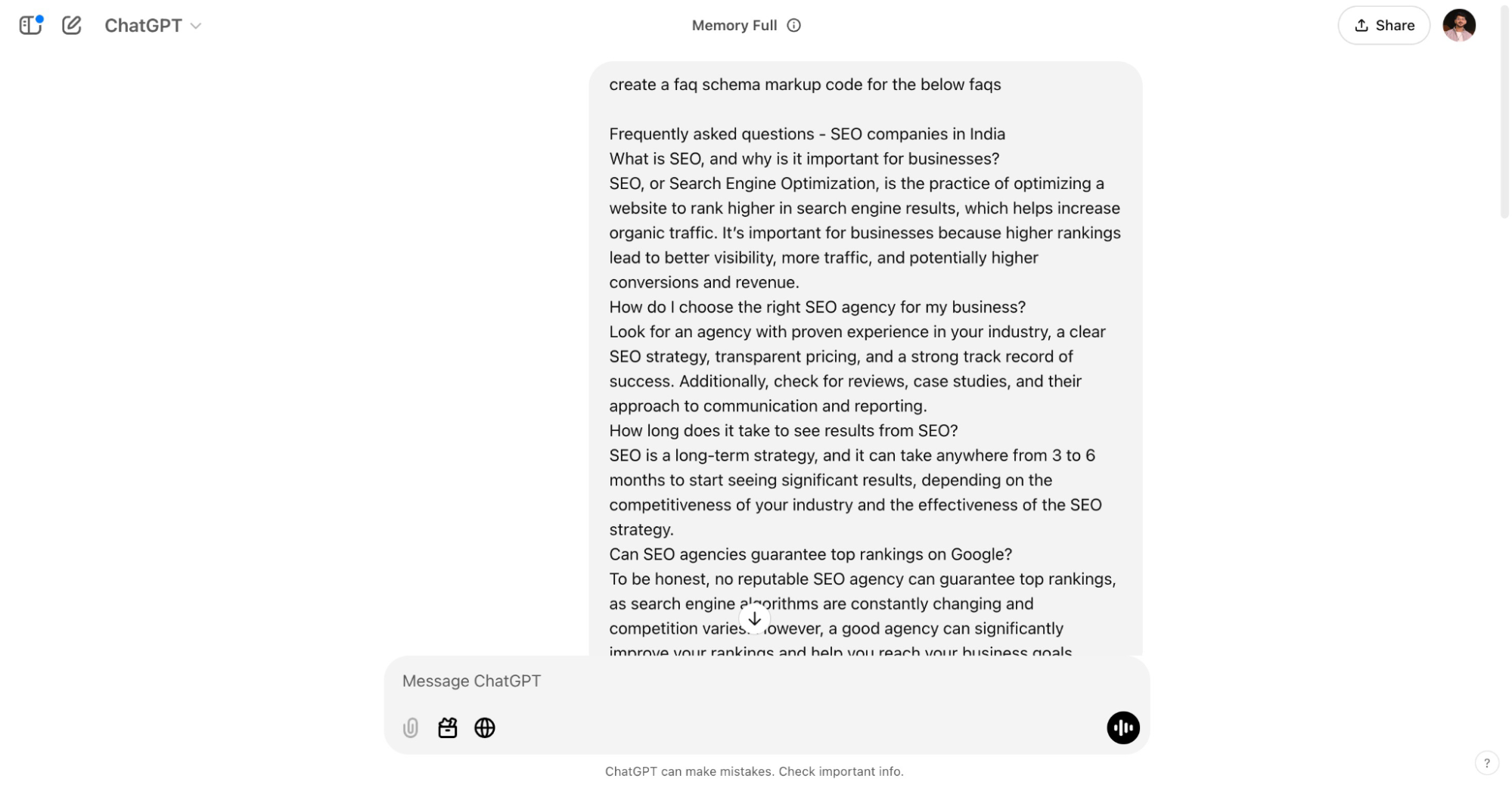
Or (my favorite no-code method 😎), just ask ChatGPT to generate schema markup. For example, I gave my FAQ questions and answers, and ChatGPT instantly created the FAQ schema markup code.
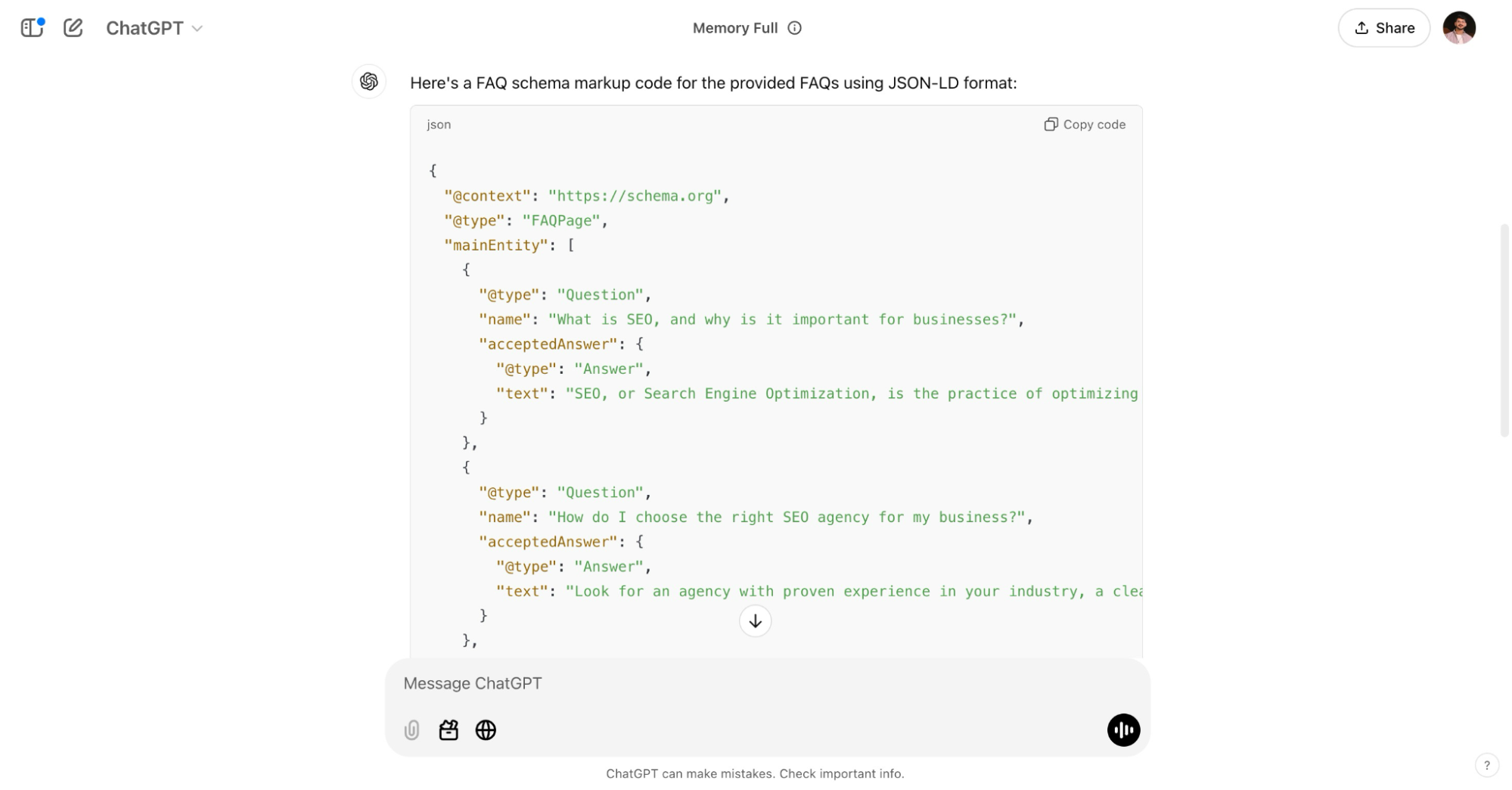
- Test the code
Once generated, then I test the code with Schema markup validator to ensure it’s error free.
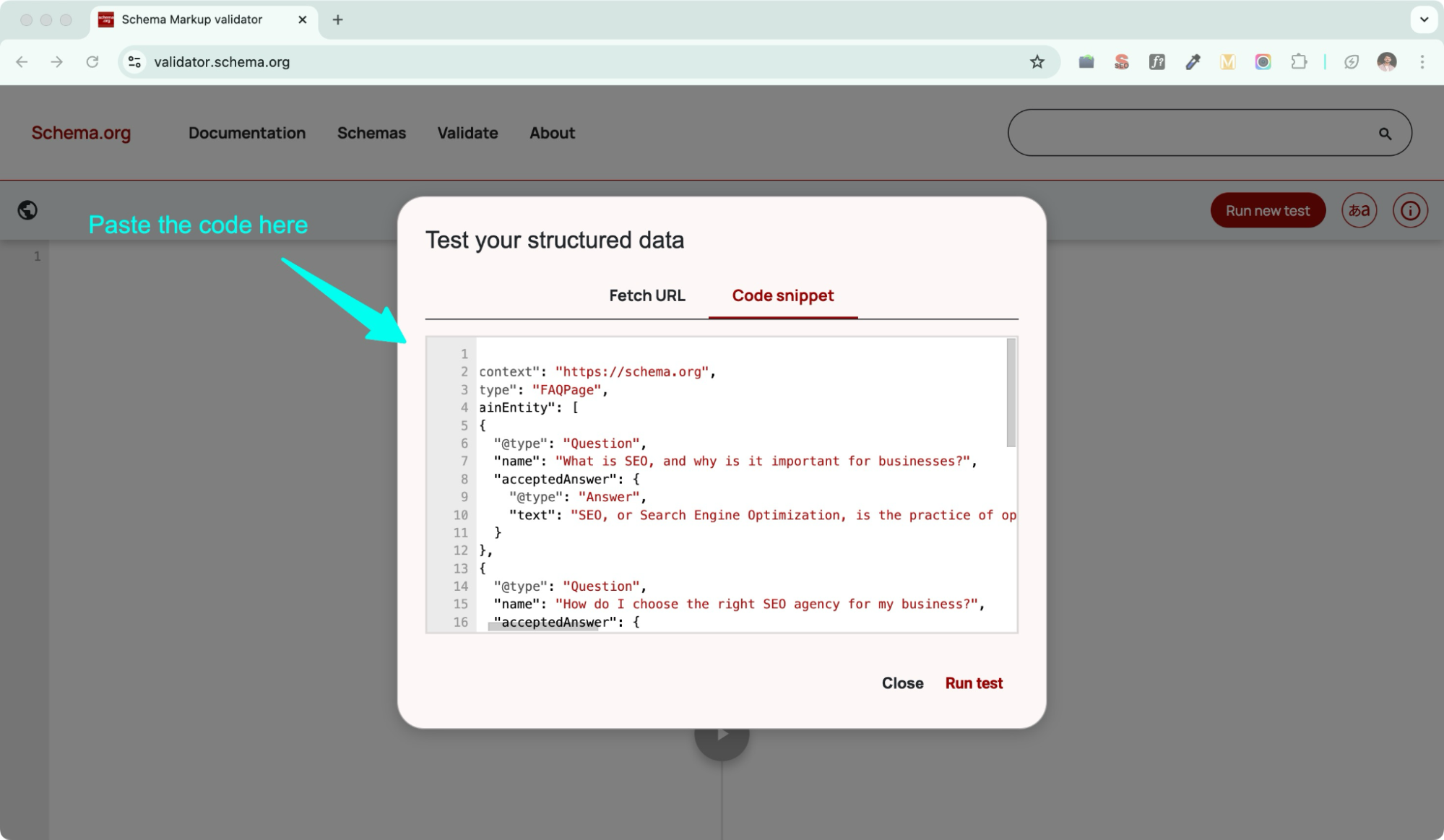
Run test.
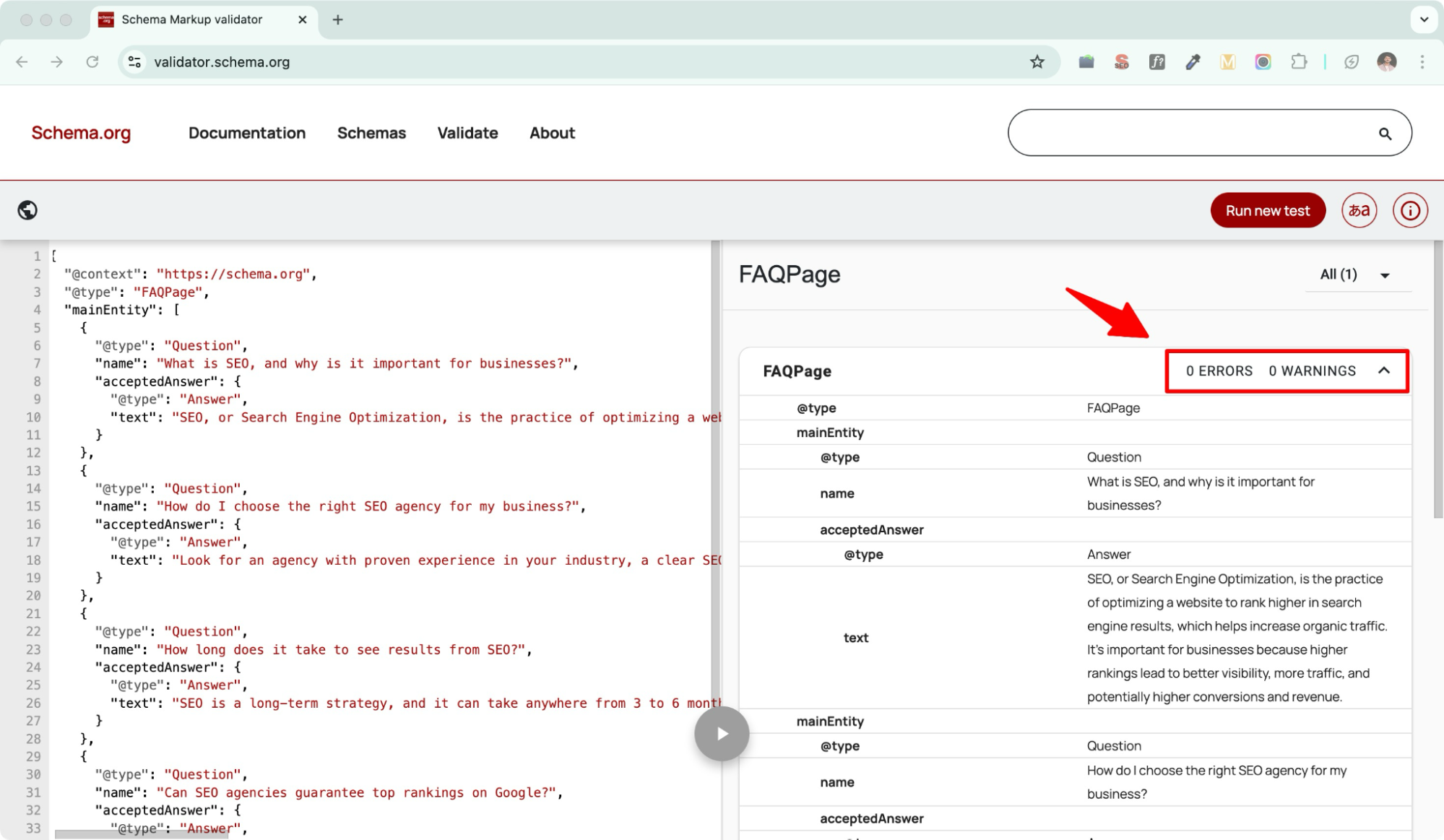
Bam! All perfect.
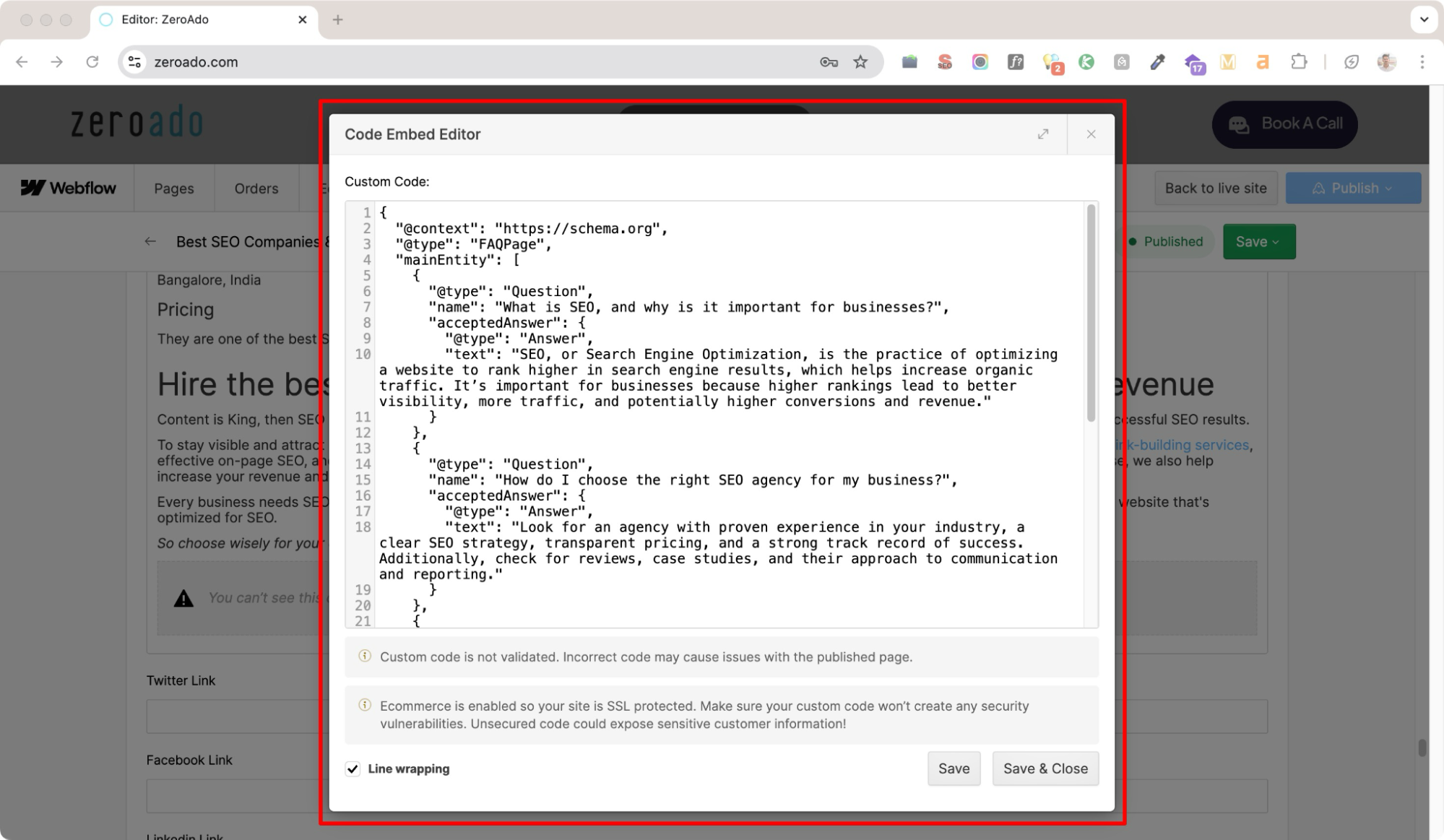
- Add the code to your site
WordPress → Add it via your SEO plugin (Yoast, Rank Math, etc.).
Webflow → Copy-paste it into the <head> or body section of your page settings.
- Tell Google about it
- Go to Google Search Console → URL Inspection Tool.
- Enter the updated page URL.
- Click Request Indexing.
Canonicalization
Let’s say you have an e-commerce website selling shoes, and you have two pages with similar content:
- www.example.com/red-sneakers
- www.example.com/red-sneakers-2024
Both pages are truly identical from any perspective. Be it product descriptions, images, and specifications, and the only difference being is URL.
🚨 Without canonicalization, search engines treat these as duplicate pages and may split the traffic and ranking power between them.
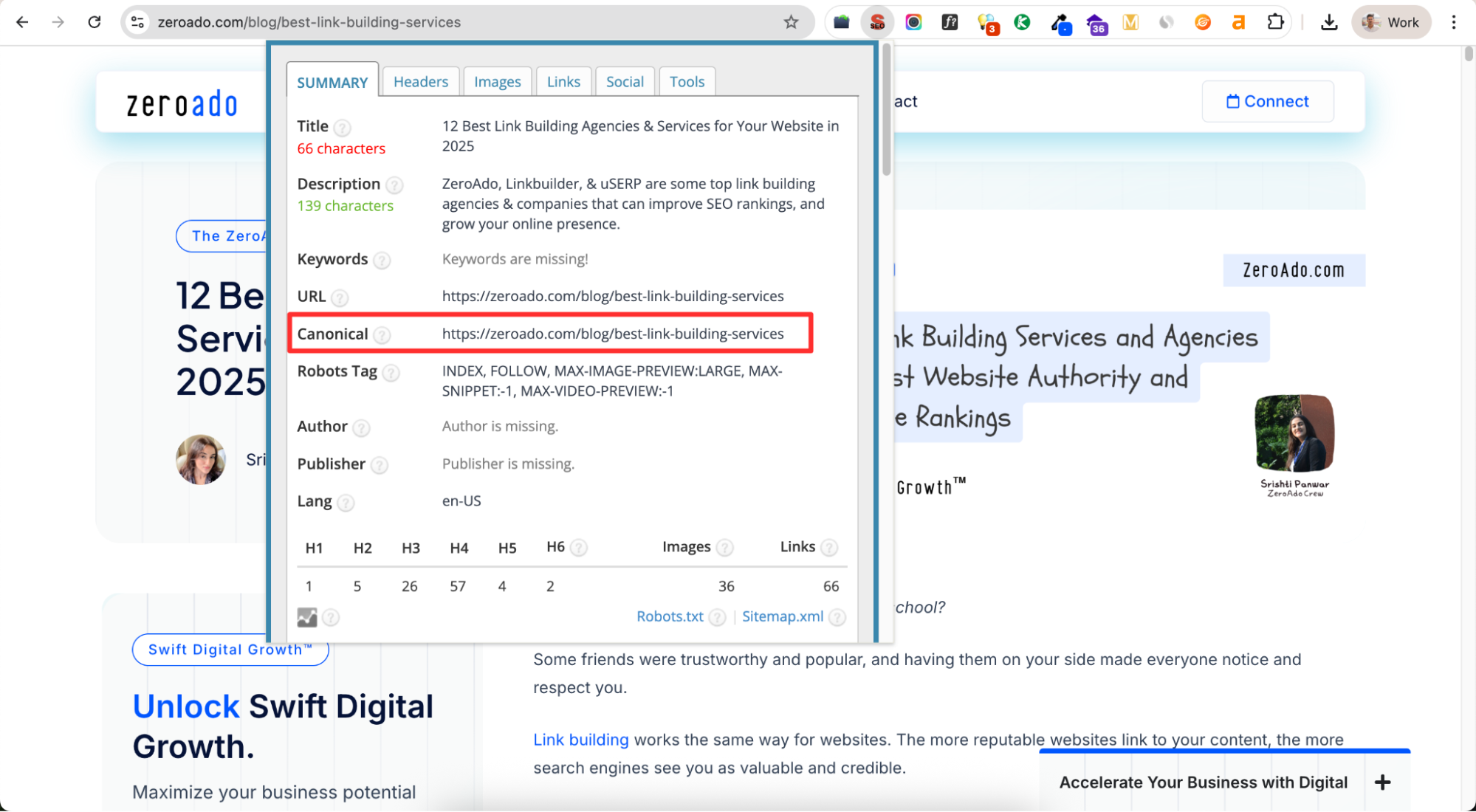
To avoid this, you need to add a canonical tag that points to the main version.
For example:
<link rel=”canonical” href=”https://www.example.com/red-sneakers” />
This tells search engines:
👉 “Hey, the main page is red-sneakers. Rank this one.”
How to add canonical tags
WordPress → If you’re using SEO plugins like Yoast SEO or Rank Math, canonical tags are handled automatically. You can also edit them manually inside the page/post SEO settings.
Webflow → Open your page → Settings → SEO settings → Add your preferred canonical URL in the “Canonical Tag” field.
Pro tip: Canonicalization is a lifesaver if you ever publish the same content more than once. It protects your SEO by making sure only the main version counts.
Securing your website

Switch to HTTPS if you haven’t yet.
Okay!
But what does this mean, and how do I implement it?
Let’s understand it with a simple example.

Imagine you visit Amazon.in to make a purchase. If the site uses HTTP instead of HTTPS, your sensitive information, like credit card details, could be stolen by hackers.
With HTTPS, all the data is encrypted, keeping your private information safe and secure during the transaction.
How to convert http to https?
Simple! Just follow the below steps.
Step 1: Go to a trusted SSL provider like GoDaddy, or Comodo.
Step 2: Purchase a SSL certificate for your domain.
Step 3: Install the SSL certificate to your website control panel (known as cPanel).
Step 4: Ensure all internal links, scripts, and images point to https:// instead of http://.
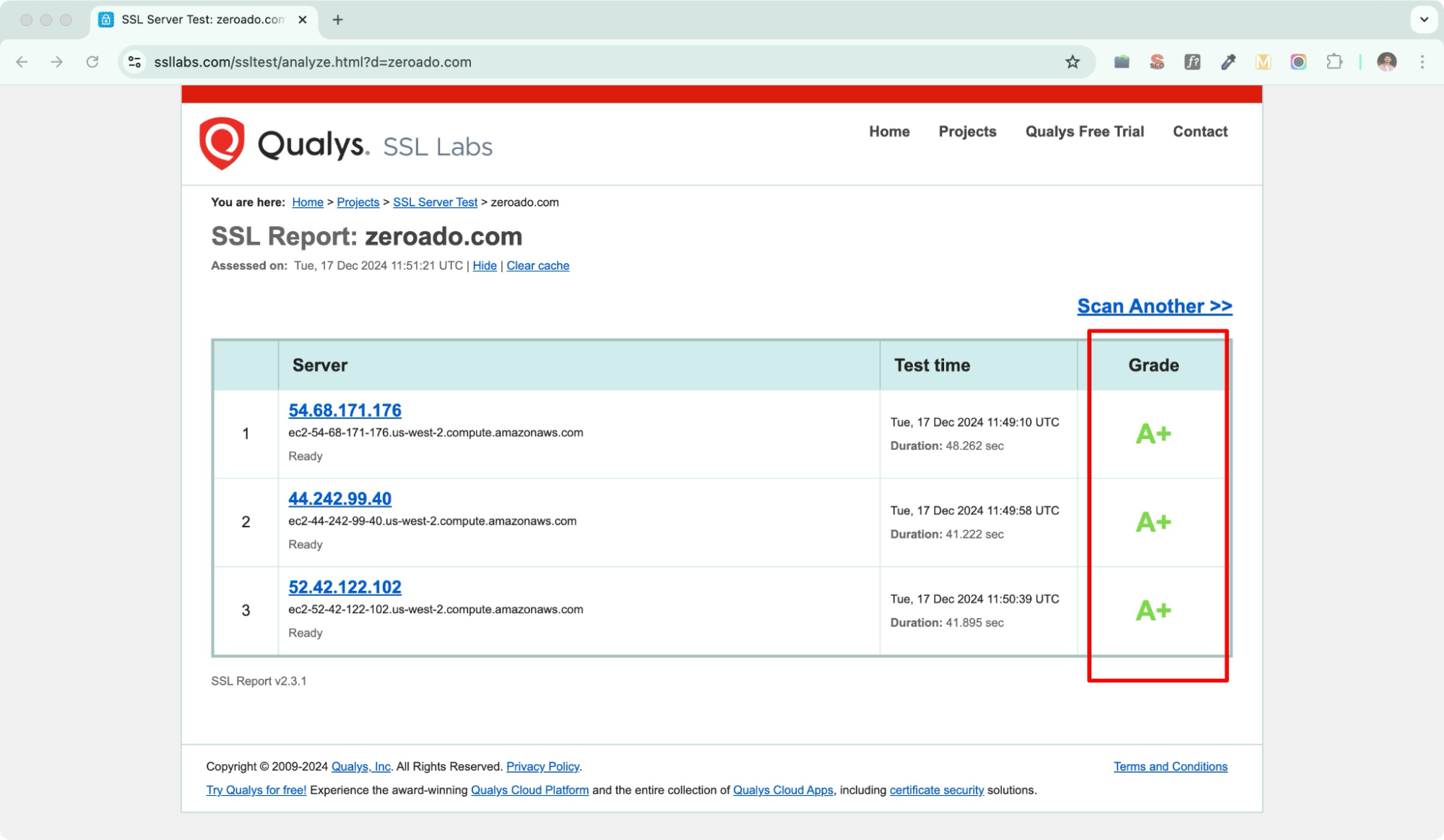
Step 5: After setting it up, update the GSC with your new site version and test your website with tools like SSL Labs.
Website speed optimization
“Slow and steady wins the race”, this might be true for humans but is absolutely false for websites.
Why?
A slow website negatively impacts both user experience and SEO rankings.
For example, think about how many times you’ve exited a site because it wasn’t loading quickly.
Probably multiple times, right?
Your users feel the same frustration when your site is slow.
How to fix website speed?
Let’s see how you can fix website speed.
Optimize images
Compress your website images using tools like TinyPNG or ImageOptim without compromising quality.
Update your hosting
If your website is on shared hosting, consider switching to managed hosting or a dedicated server for better performance.
Limits redirects
Each redirect adds extra loading time. Reduce unnecessary redirects to improve speed.
Remove unnecessary plugins
If your site is on WordPress, make sure to remove unnecessary or outdated plugins.
Use lazy load for images and videos
Load images and videos only when they appear in the user’s viewport.
Mobile-friendliness
There was a time when websites were created mainly for desktop users, and mobile optimization was an afterthought. But times have changed–most users now browse the internet on their phones.
That’s why it’s essential to prioritize mobile-friendliness.
How can you make your website mobile-friendly?
Responsive design
Make your website automatically adjust to fit different screen sizes. Whether it’s a phone, tablet, or desktop.
Simplify navigation
Use large buttons and easy-to-read menus that are simple to tap on small screens.
Fast loading time
Compress images, reduce unnecessary code, and use a fast hosting service.
Test on mobile devices
Check your site on various phones and tablets to see how it looks and fix any problems.
Use Google testing tool
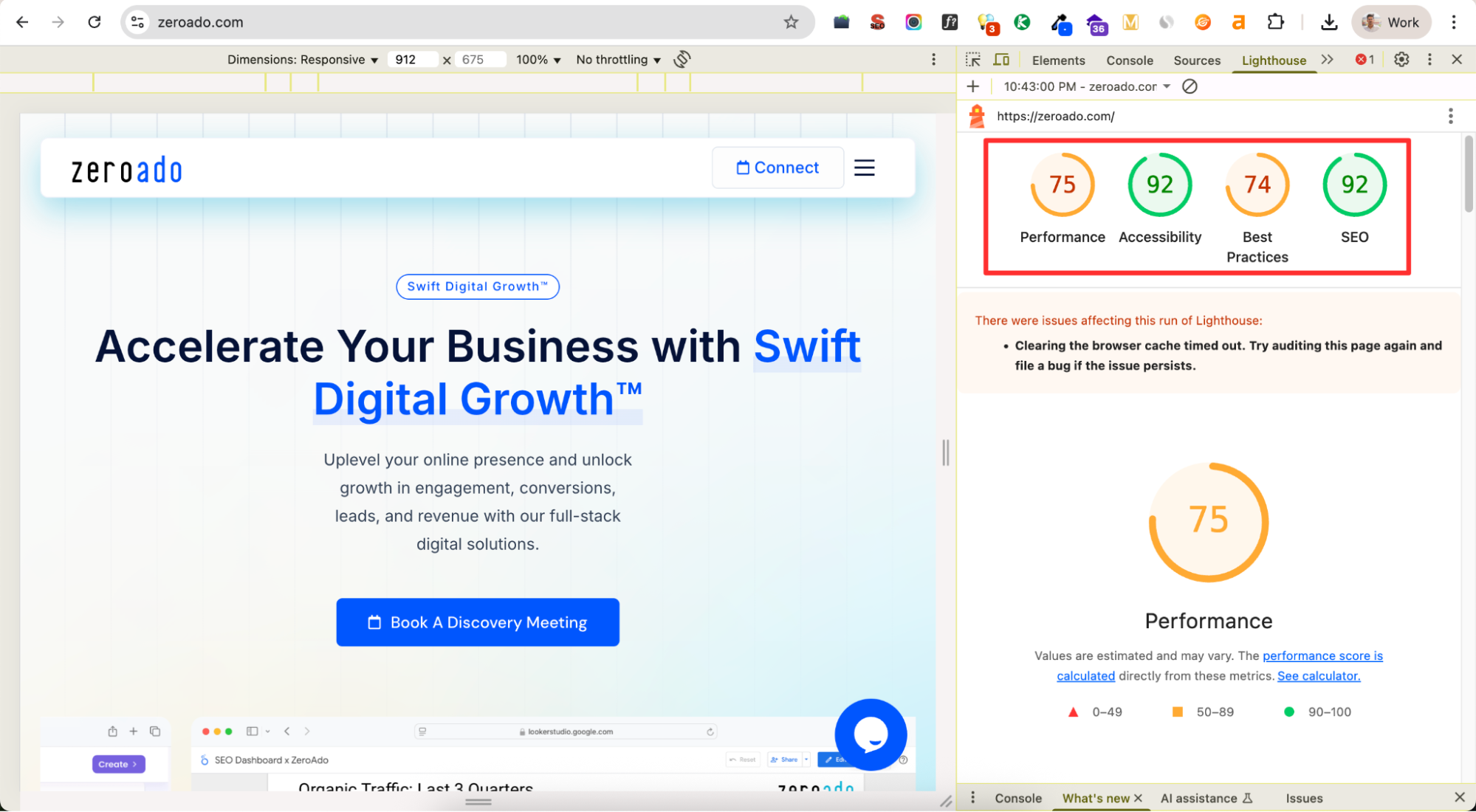
Google has retired its Mobile-Friendly Test tool as of December 2023. To assess your website’s mobile usability, Google now recommends using Lighthouse.
Here’s how to use Lighthouse to check your site’s mobile-friendliness:
- Open Google Chrome
- Navigate to your website
- Access developers tools
- Click on the three vertical dots in the top-right corner of Chrome.
- Hover over “More Tools” and select “Developer Tools.”
- Alternatively, press Ctrl + Shift + I (Windows/Linux) or Cmd + Option + I (Mac).
- Open Lighthouse
- In the Developer Tools panel, click on the “>>” icon to reveal hidden tabs.
- Select “Lighthouse” from the dropdown menu.
- Configure the audit
- In the Lighthouse panel, choose the “Mobile” option to simulate a mobile device.
- Ensure all relevant categories (Performance, Accessibility, Best Practices, SEO) are selected for a comprehensive audit.
- Run the audit
- Click the “Analyze page load” button to start the audit.
- Lighthouse will evaluate your page and generate a detailed report highlighting areas for improvement.
- Review the report
- Examine the scores and recommendations provided.
- Focus on issues affecting mobile usability, such as text size, tap targets, and viewport configuration.
- Implement Recommendations
- Address the identified issues to enhance your site’s mobile-friendliness.
- Consider aspects like responsive design, load times, and user interface adjustments.
Duplicate content issues
Check for duplicate content on your website. If it has pages with similar content, there are two main solutions:
Use canonical tags
If multiple pages contain similar content, use a canonical tag to indicate the “main” or “preferred” page. This helps search engines understand which page should be prioritized in search results.
Rewrite the content
If two different pages have very similar content, rewrite the content to make each page unique and valuable to users. This improves the user experience and helps search engines rank the most relevant page higher.
Now let’s move further.
Technical SEO tools
Using the right tools is essential for effective technical SEO. Here’s a list of some commonly used tools that you can use to improve the technical aspects of your website.
Google Search Console
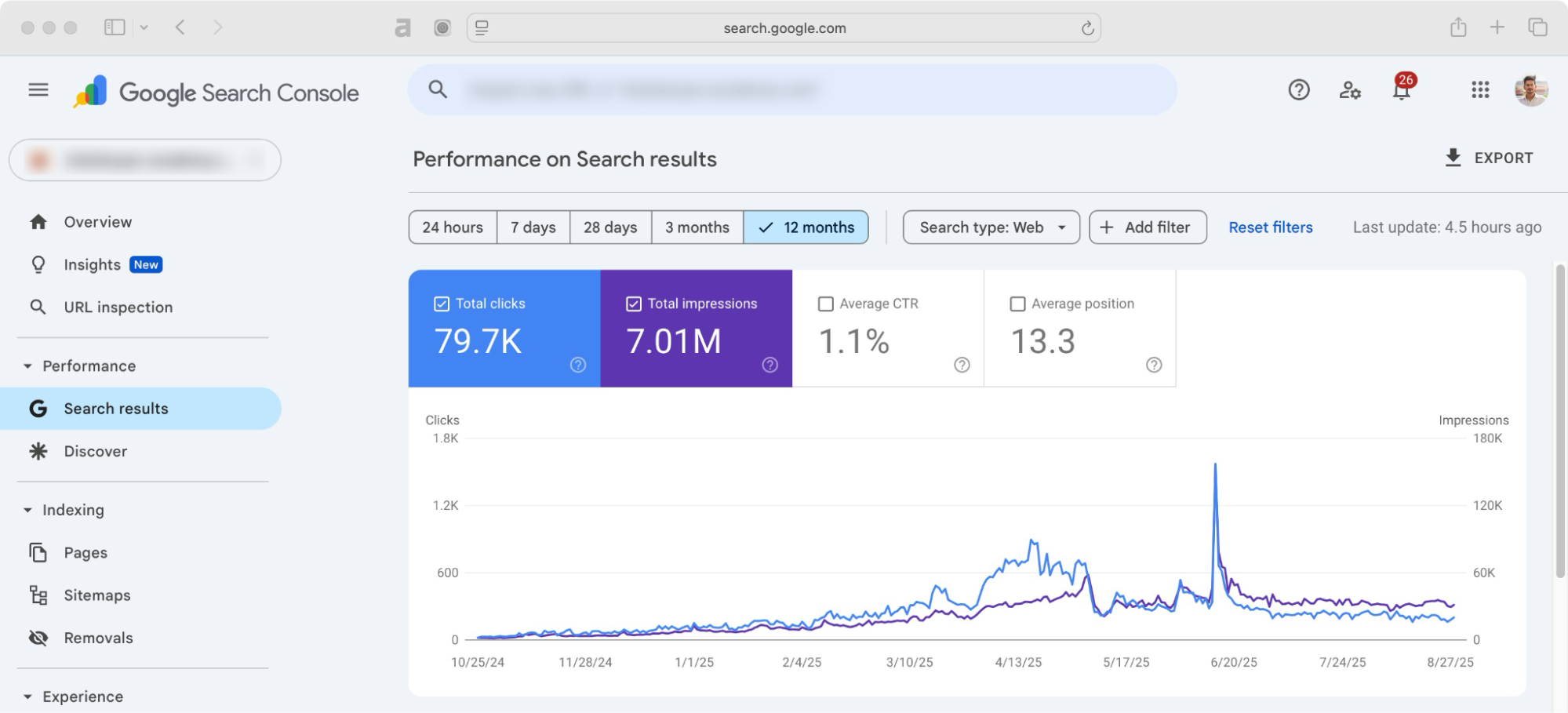
Google Search Console (previously Google Webmaster Tools) is a free tool from Google. It helps you monitor your website’s performance and fix indexing issues.
Steps to use:
Set up
Verify your website by uploading the HTML file provided by Google or using DNS verification.
Submit a sitemap
Go to the “Sitemaps” section and upload your XML sitemap. This helps Google crawl your website effectively.
Check indexing issues
Navigate to the “Pages” section to identify errors like
- Pages with redirect
- Pages excluded by ‘noindex’ tag
- Pages blocked by robots.txt
- Pages crawled – but currently not indexed
- Pages not found (404)
Fix these issues and resubmit the pages for indexing.
Analyze keywords and CTR
Use the “Search result” section to monitor how your keywords are performing and optimize low-performing pages.
You can also find new keywords from queries where your blog shows up but isn’t ranking high. Updating your content to target these keywords can help you get more traffic.
Screaming Frog SEO Spider
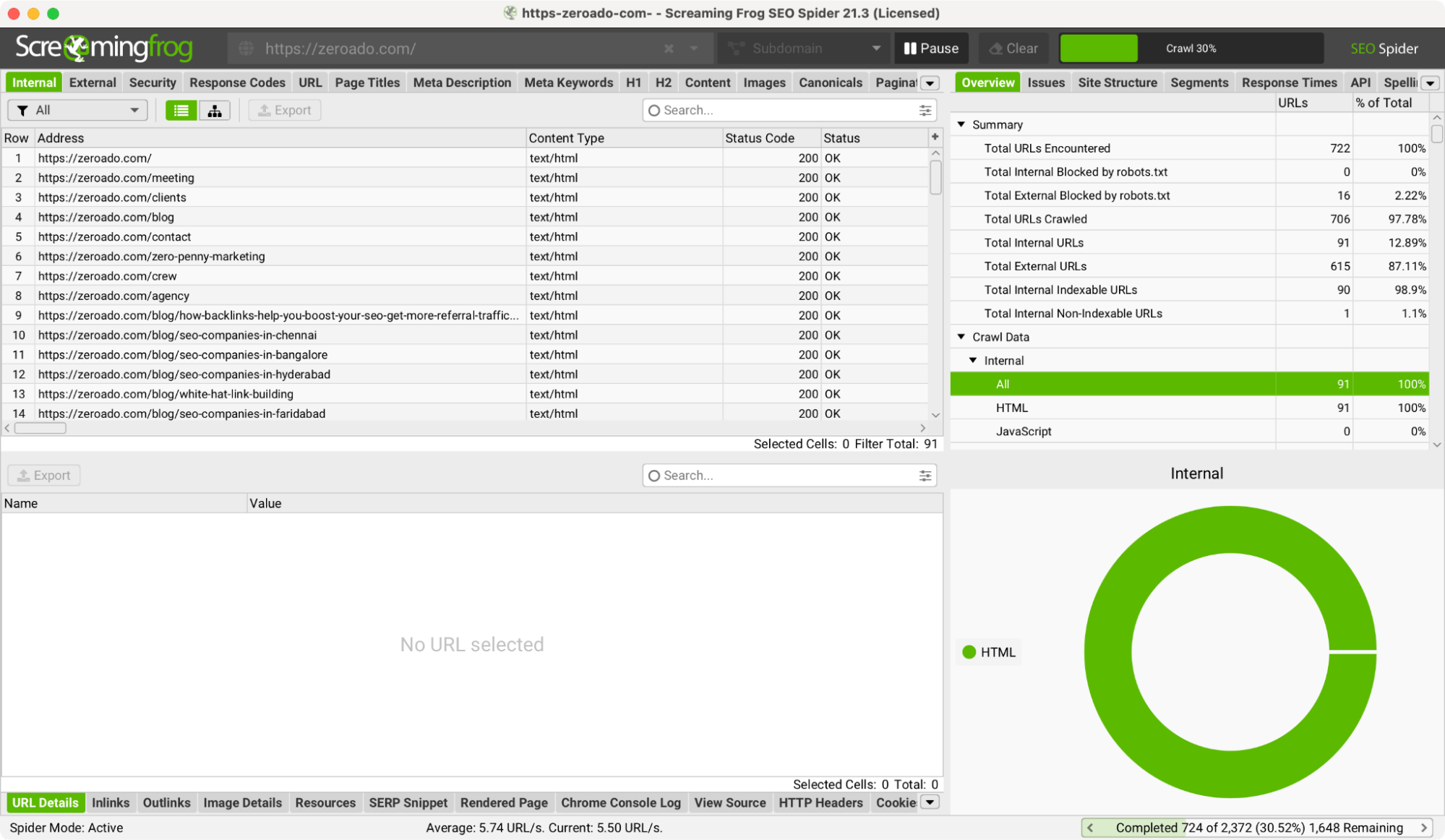
This tool is perfect for crawling your website and identifying technical issues like broken links, missing tags, or duplicate content.
Steps to use:
Download and Install
Install Screaming Frog and input your website URL.
Run a crawl
Start the crawl to scan your site for issues.
Analyze results
Check the “Response Codes” tab for broken links, and the “Page Titles” and “Meta Descriptions” tabs for missing or duplicate tags.
Fix issues
Use the reports to prioritize fixes and keep your site healthy.
Ahrefs
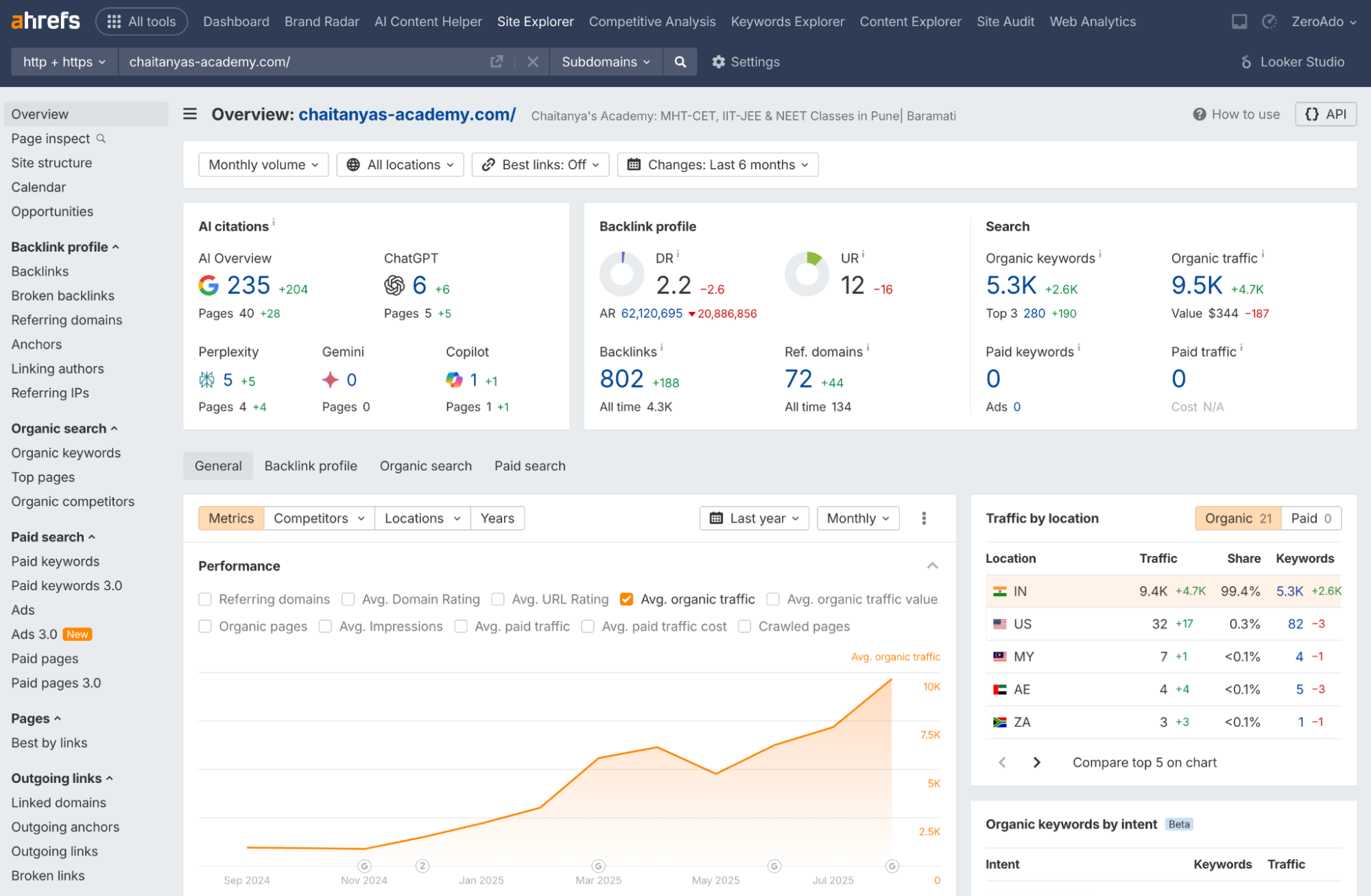
Ahrefs is one of the excellent SaaS tools for analyzing backlinks, identifying crawl issues, and optimizing your site’s performance.
Steps to use:
Site audit
Run a site audit to identify technical issues like broken links, slow-loading pages, and crawl errors.
Backlink analysis
Use the “Backlink Profile” tool to evaluate the quality of backlinks to your site and disavow PBN backlinks or spammy ones.
Content gap analysis
Identify keywords and topics your competitors rank for but you don’t, then optimize your content for these gaps.
Chrome DevTools
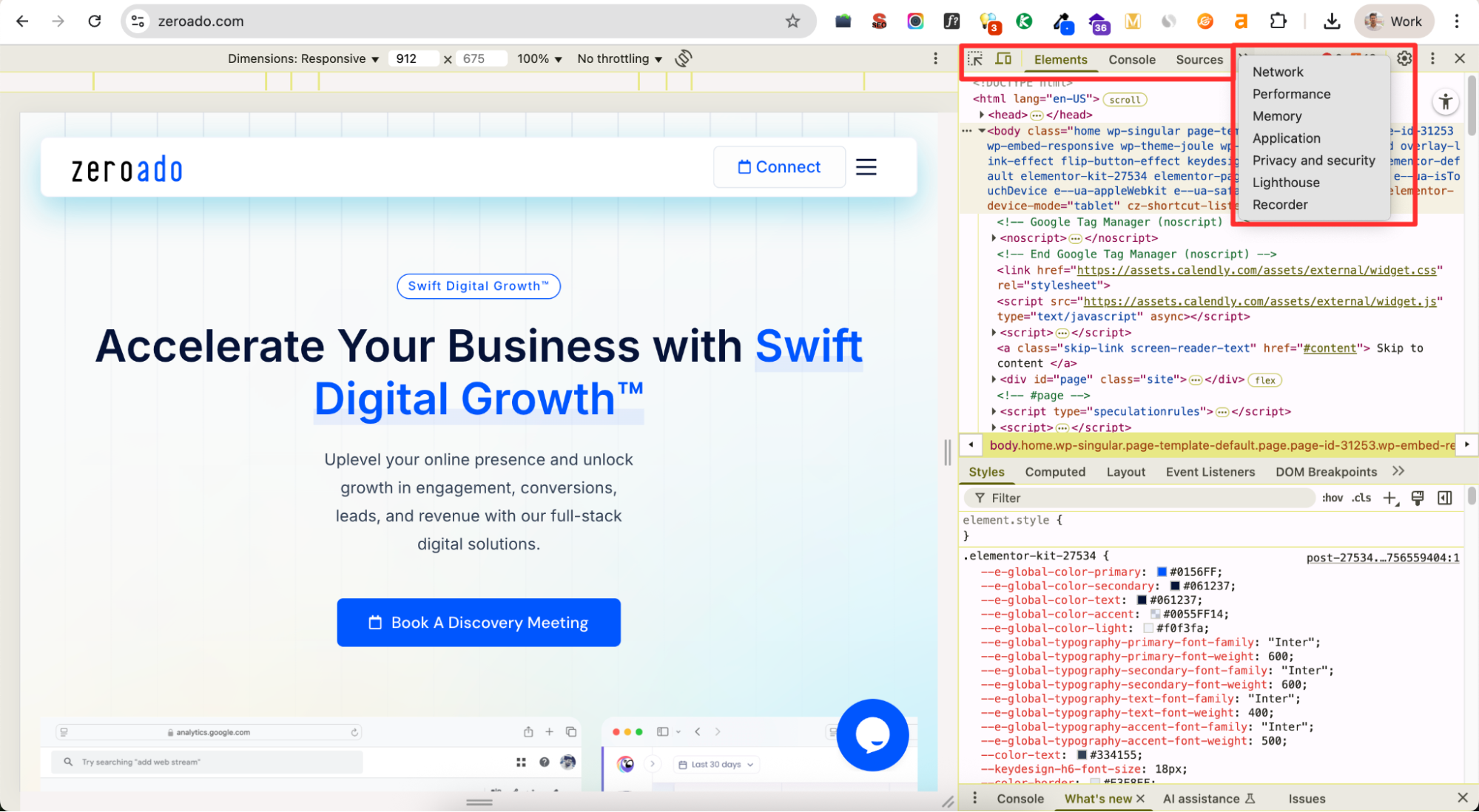
Chrome DevTools is a powerful tool built into the Google Chrome browser, perfect for identifying and fixing technical SEO and website performance issues in real-time.
Steps to use:
Inspect elements
Right-click on any webpage and select “Inspect” to analyze HTML, CSS, and JavaScript.
Check speed
Go to the “Performance” tab to record and analyze your website’s loading behavior.
Find SEO issues
Use the “Lighthouse” tool (under DevTools) to generate an audit report on performance, accessibility, and SEO.
Debug errors
Review the “Console” tab to identify JavaScript errors that could impact site functionality.
PageSpeed Insights
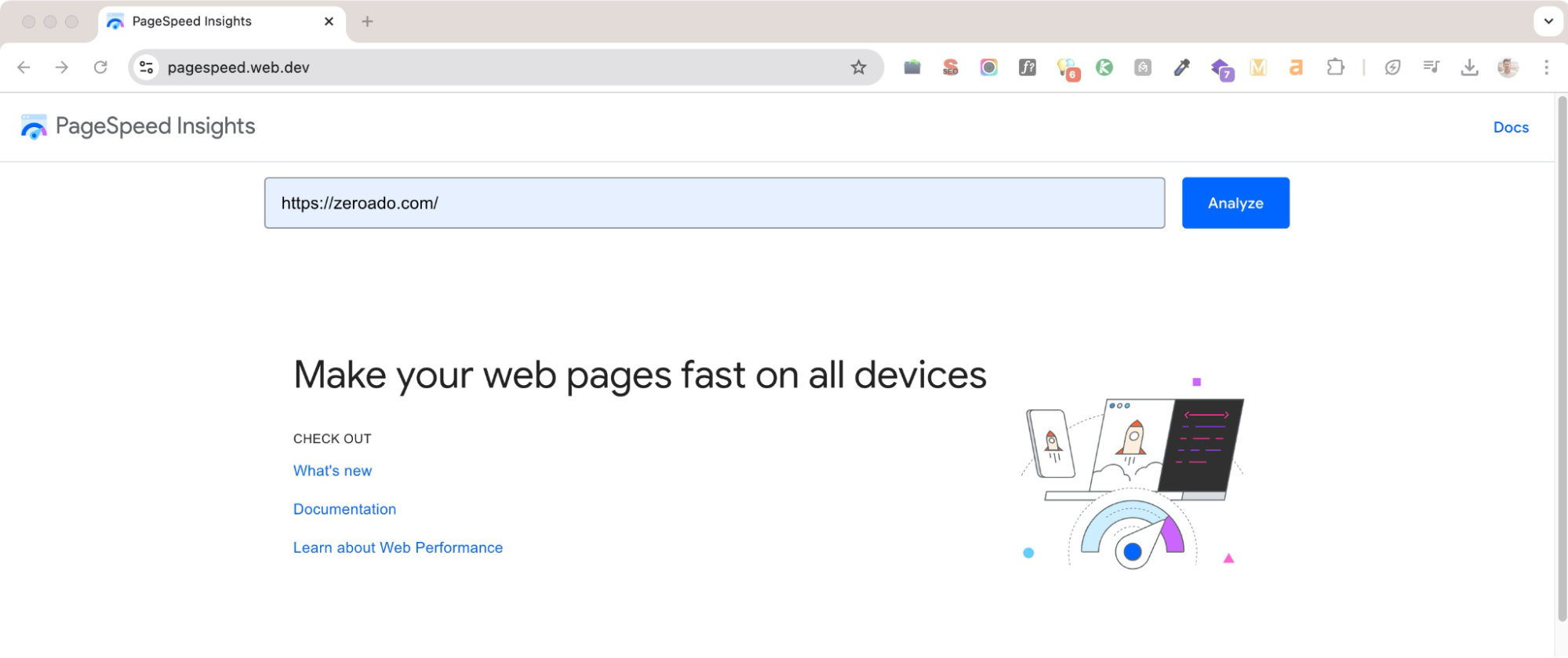
PageSpeed Insights by Google measures your website’s performance and provides actionable recommendations to improve speed and user experience.
Steps to use:
Analyze performance
Enter your website URL and run the test.
Review metrics
Focus on key metrics like Largest Contentful Paint (LCP), First Input Delay (FID), and Cumulative Layout Shift (CLS).
- LCP (Largest Contentful Paint): Measures how quickly the largest visible content loads.
- FID (First Input Delay): Tracks how fast the site responds to user interactions.
- CLS (Cumulative Layout Shift): Checks for unexpected layout shifts.
Implement suggestions
Follow recommendations such as optimizing images, enabling compression, or reducing render-blocking resources to improve your domain authority and load times.
Stay on top with the technical SEO checklist
| Category | Task |
| Audit | Run a technical SEO audit using tools like Ahrefs or Screaming Frog. |
| Identify errors and resolve them. | |
| Check indexed pages in Google Search Console. | |
| Ensure sitemap availability and submit it. | |
| Check robots.txt for disallowed pages. | |
| Identify blocked pages and fix them as needed. | |
| Set up a custom 404 page. | |
| Audit and fix redirects (including 4xx, 5xx errors, and redirect chains). | |
| Resolve HTTPS/HTTP mixed content issues. | |
| Implement canonical URLs. | |
| Eliminate duplicate content. | |
| URL optimization | Use clean, readable URLs with keywords. |
| Link optimization | Fix broken internal/external links. |
| Use descriptive and keyword-relevant anchor text. | |
| Metadata | Avoid empty titles and meta descriptions. |
| Remove duplicate titles and descriptions. | |
| Follow character limits for metadata. | |
| Avoid keyword stuffing in metadata. | |
| Images | Compress images (e.g., TinyPNG). |
| Use descriptive alt text. | |
| Website speed | Optimize resources (CSS, JS, images). |
| Enable browser caching + lazy loading. | |
| Mobile optimization | Check for mobile friendliness and responsiveness using Lighthouse. |
| Structured data | Add schema markup (FAQs, reviews, products, etc.). |
| Core web vitals | Monitor and improve Core Web Vitals (e.g., LCP, FID, CLS) using PageSpeed Insights. |
| Security | Ensure SSL/TLS certificate is active and valid. |
| Breadcrumbs | Implement breadcrumbs for better navigation + SEO. |
| Content and URL submission | Submit updated pages URL via GSC. |
| Resubmit sitemap if major updates are made. |
Pro tip: Following this checklist can help make your site technically strong, but Google often introduces new updates. Stay updated with the latest SEO trends to keep your site performing well.
Fix the backbone (technical SEO) of your website
I believe you now understand why I call technical SEO the backbone of a website.
It’s the essential framework that supports everything else: your content, your links, and ultimately, your rankings.
Without a solid technical foundation, all your other SEO and content marketing efforts are going to waste.
So, if you want your website to rank like a pro, start with Technical SEO.
Because success begins with a strong foundation.
And if you need expert guidance to optimize your website’s technical SEO, ZeroAdo is here to help.
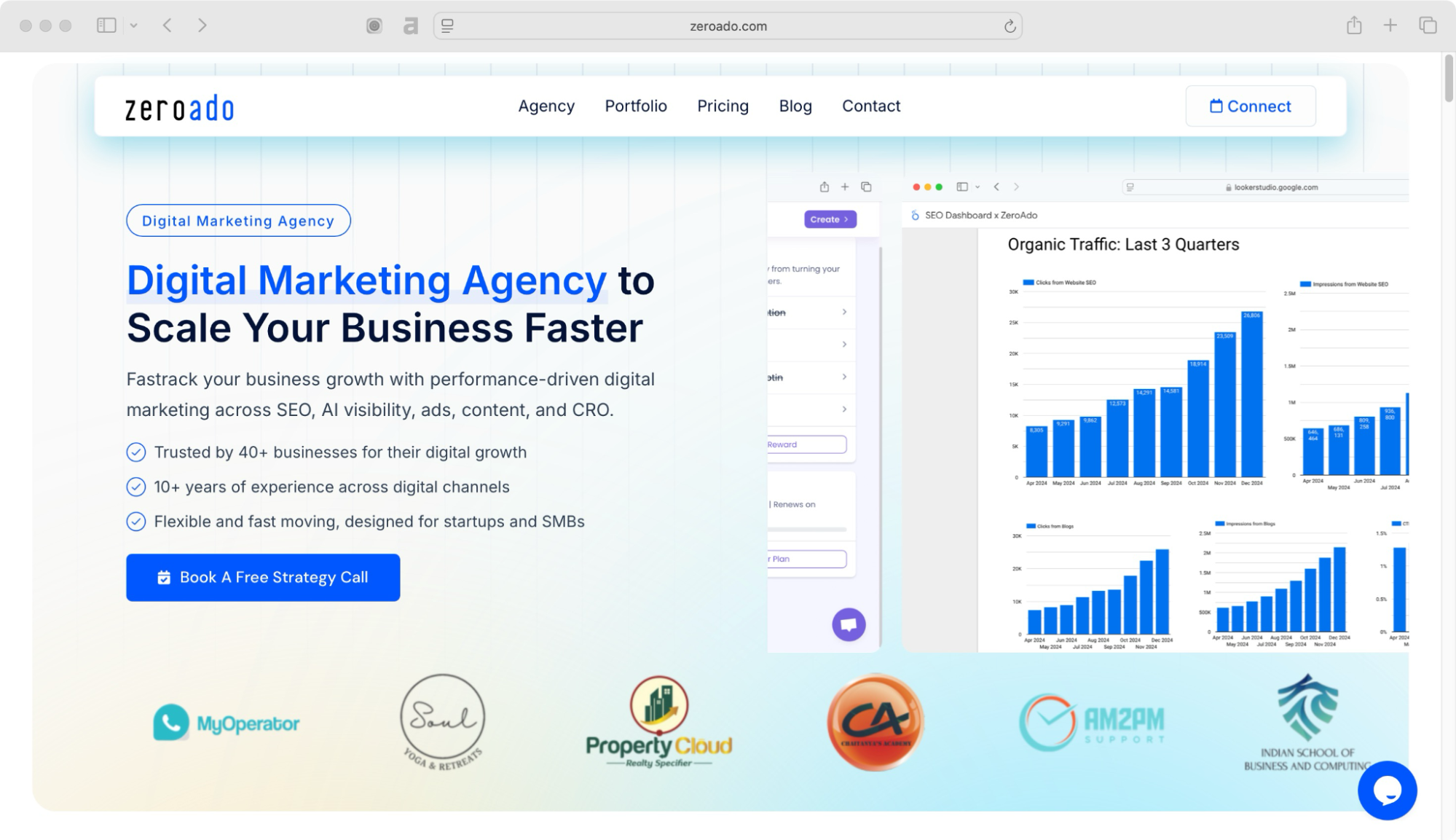
We specialize in all types of SEO: technical, on-page, and off-page and make sure that your business is visible not just on Google, but across every place people search.
As a Swift Digital Growth™ company, we focus on building strong technical foundations that boost your website’s performance, drive organic traffic, and most importantly convert that traffic into paying customers.
We know how to build and restructure your website so it maintains top rankings over time.
Ready to strengthen your website’s backbone? 🚀
👉 Book your free consultation with ZeroAdo today!
Frequently asked questions [Technical SEO]
Think of AI as your website’s helper robot. It can now do things like make sitemaps, check for technical problems, optimize your site for mobile, and even create meta tags. This means SEO pros can focus more on strategy while AI handles the boring, repetitive stuff, and makes fewer mistakes too.
Zero-click search is when people get their answers straight from Google without clicking on any website. To show up here, you want clear FAQs, structured data, and content that’s likely to appear as a featured snippet. Basically, make Google happy so it shows your answer first.
Google now cares a lot about Experience, Expertise, Authoritativeness, and Trustworthiness (E-E-A-T), plus keeping users’ data safe. So your website needs trustworthy, high-quality content and must respect privacy rules. Think of it like being the friend everyone trusts to give good advice.
Core Web Vitals are Google’s way of checking if your site is fast, easy to interact with, and doesn’t jump around weirdly. Version 2.0 just makes these checks stricter. If your site loads slowly or jumps around, Google will rank it lower. Speed and smoothness really matter now.
Instead of just stuffing keywords everywhere, you group content into topic clusters and link them smartly. This shows Google you really know your stuff on a subject. Search engines now care more about meaning and user intent than random keywords.
For voice search, visual search, or AI assistants, think natural. Use long, conversational sentences, describe images clearly with alt text, and add proper schema markup. This helps different types of search find your content easily.
Big websites change all the time, and keeping track of everything manually is exhausting. AI audits can continuously scan your site, catch problems instantly, and help your team fix things faster. It’s like having a security camera for your website 24/7.
