
I remember when I built my first website. I followed all the wrong advice: stuffed it with keywords, bought a few backlinks (I cringe now), and even hid some text in white font on a white background. Yeah, I was that guy.
Guess what happened?
It worked for a month… until Google caught on. My site disappeared from search results overnight. No warning. Just poof, gone.
Since then, I’ve made it my mission to do SEO the right way, the white hat way.
If you’re here, I’m guessing you want to grow your traffic without getting penalized, tricking people, or relying on shady tactics. You want something real, ethical, and that actually works long-term.
This post is for you.
What is white hat SEO (and why should you care)?
White Hat SEO is just a fancy term for playing by Google’s rules. It means doing SEO in a way that’s good for the reader and honest with the search engine.
No shortcuts and no tricks. Just:
👉 Helpful content
👉 Good user experience
👉 Real authority
If you’re building a brand and not just chasing clicks, white hat SEO is the only strategy that won’t blow up in your face.
Tools I actually use for white hat SEO (2026 edition)
I’ve seen way too many SEO blog posts that list 30+ tools you’ll “need” and half of them cost a fortune or have confusing dashboards you’ll never open again.
Let me save you some time.
These are the 5 tools I actually use, week in and week out, across client work and personal projects.
They’re not perfect, but they get the job done. I’ll also tell you how I use them because tools only matter if you use them right.
Google Search Console (GSC) – Free and surprisingly powerful
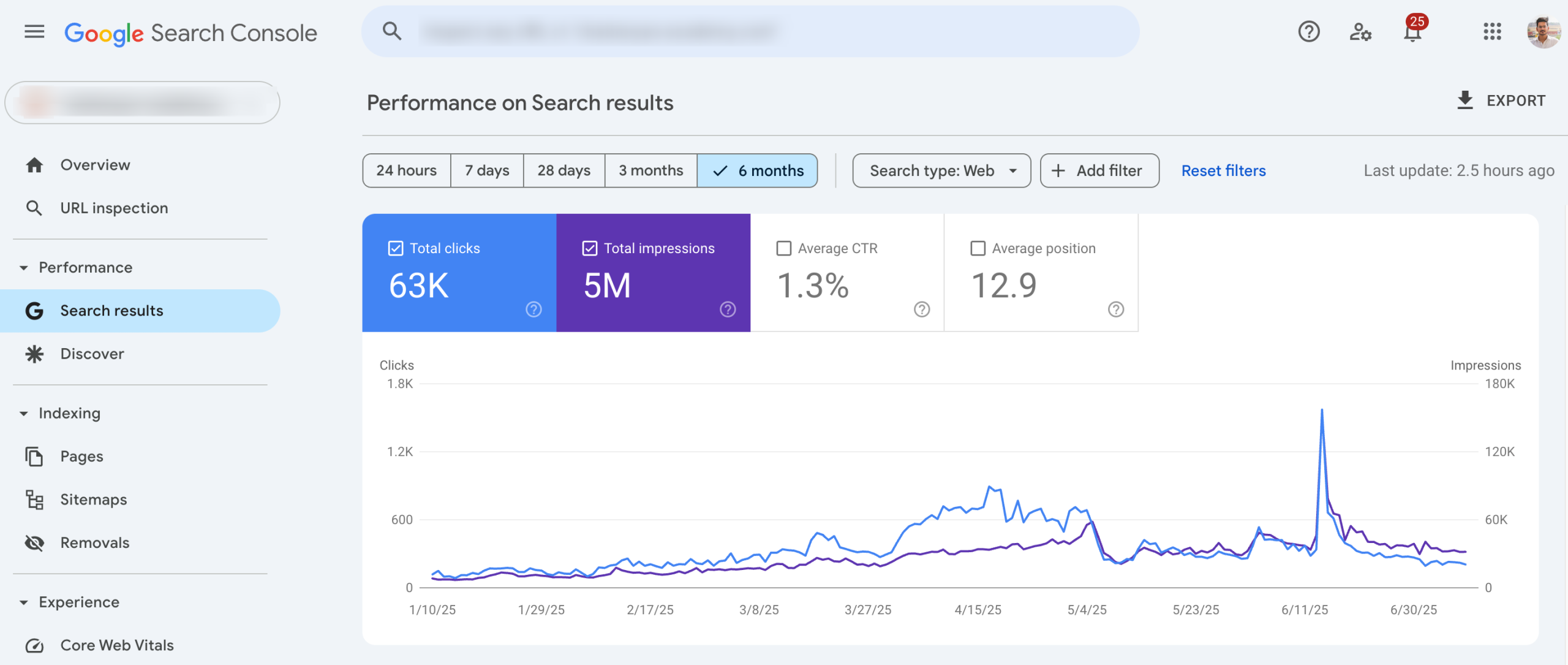
If I had to pick just one tool, this would be it. It’s free, straight from Google, and tells you:
- What keywords people are using to find your site
- Which pages are ranking (and which aren’t)
- Where you’re getting impressions but not clicks (goldmine!)
How I use it:
Once a week, I scan the Performance > Queries section. If I see a keyword getting a lot of impressions but no clicks, I ask: Can I improve this page’s title? Can I answer the search query better?
This tool helps you spot opportunities without guessing.
Ahrefs (Or Semrush) – For competitive research and backlink hunting
Out of all the paid B2B SEO tools out there, Ahrefs is the one I use daily. It’s packed with data, easy to navigate once you get the hang of it. And honestly, it’s helped me make smarter decisions more than anything else.
Here’s what I use it for:
- See what’s working for competitors: What are they ranking for? What kind of content performs best for them?
- Find topic gaps: If I’m writing about something, I want to make sure I’m not missing subtopics my competitors already cover.
- Spy on backlinks: Who’s linking to them, and can I create something more useful to earn that same link?
When I was writing about SEO companies in India, I searched for that keyword in Ahrefs, checked the top competitors, and noticed they all included a “price” subheading of companies. I hadn’t planned that but I added it in. That section ended up pulling in backlinks from a few roundup blogs.
If you’re not using Ahrefs yet, start with their Site Explorer, Site Audit, and Content Gap features that’s where the gold is.
Bonus tip:
If Ahrefs feels heavy on your balance sheet, Semrush is a decent alternative. I just prefer Ahrefs for its cleaner interface and backlink analysis.
Google Analytics – Where I check if my SEO is actually working
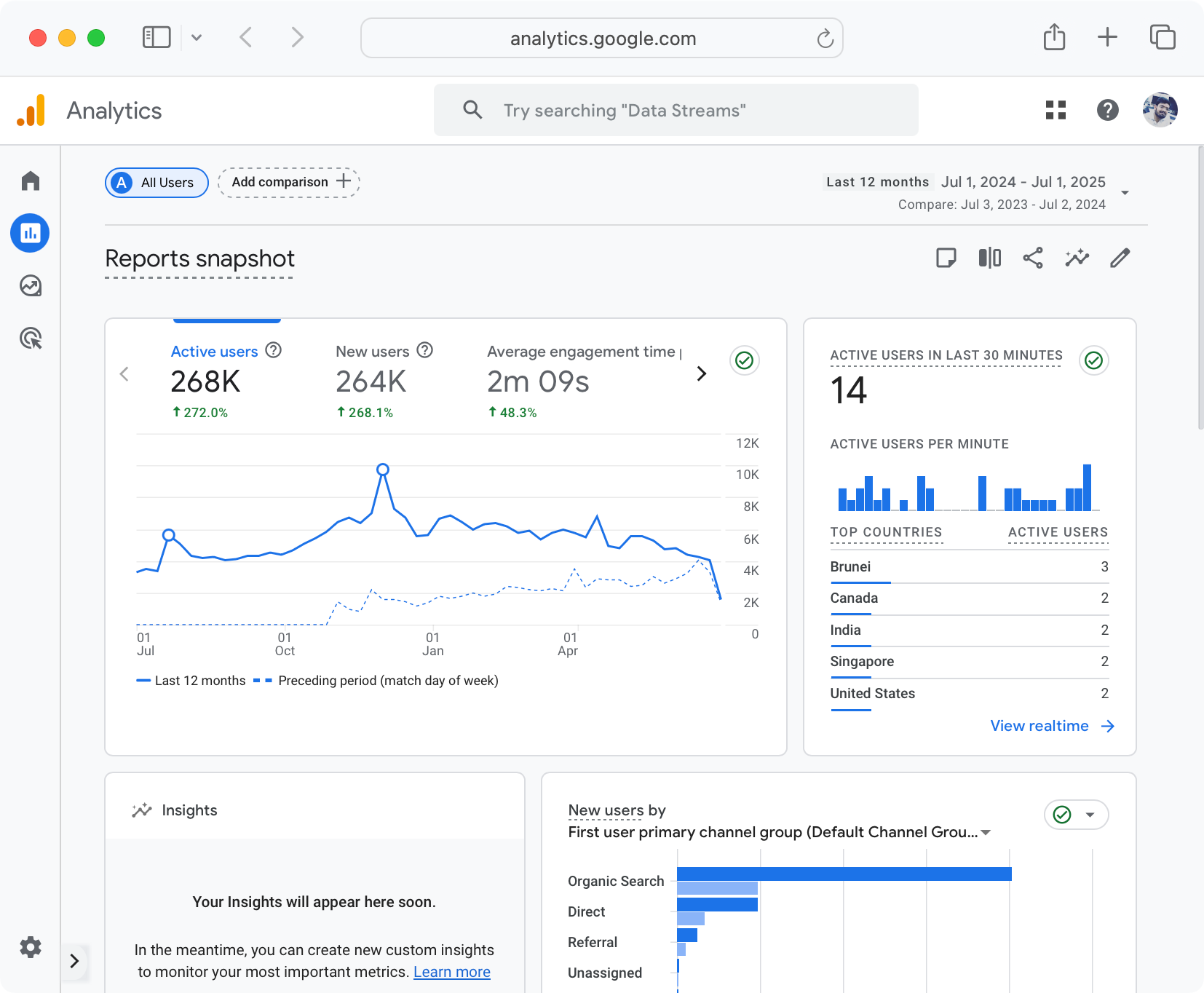
It’s one thing to publish SEO content. It’s another to know if it’s doing anything.
That’s where Google Analytics (GA4) comes in.
I won’t lie, the new version (GA4) can be a bit confusing at first. But once you know where to look, it becomes a goldmine for seeing what’s working and what’s just sitting there.
Here’s how I actually use it:
See which pages are bringing in traffic
I check the “Pages & Screens” report to spot high-traffic or underperforming blog posts. If something’s getting visits but not converting or keeping people around, that’s my signal to improve it.
Track user behavior
Are people reading the full article? Are they bouncing after 5 seconds? GA4 shows time on page, scroll depth, and other engagement signals that help me figure out what to tweak.
Spot trends over time
I compare traffic month over month to see which posts are gaining traction and which are falling behind.
Check referral sources
Did that guest post or SEO backlink actually send traffic? GA tells me that also.
To be honest, doing white hat SEO without tracking is like cooking without tasting the food. You need feedback to get better.
Pro tip:
Pair GA4 with Google Search Console. GSC shows how you’re doing in search; GA shows what people do after they land on your site.
Screaming Frog – For site audits that don’t give me a headache
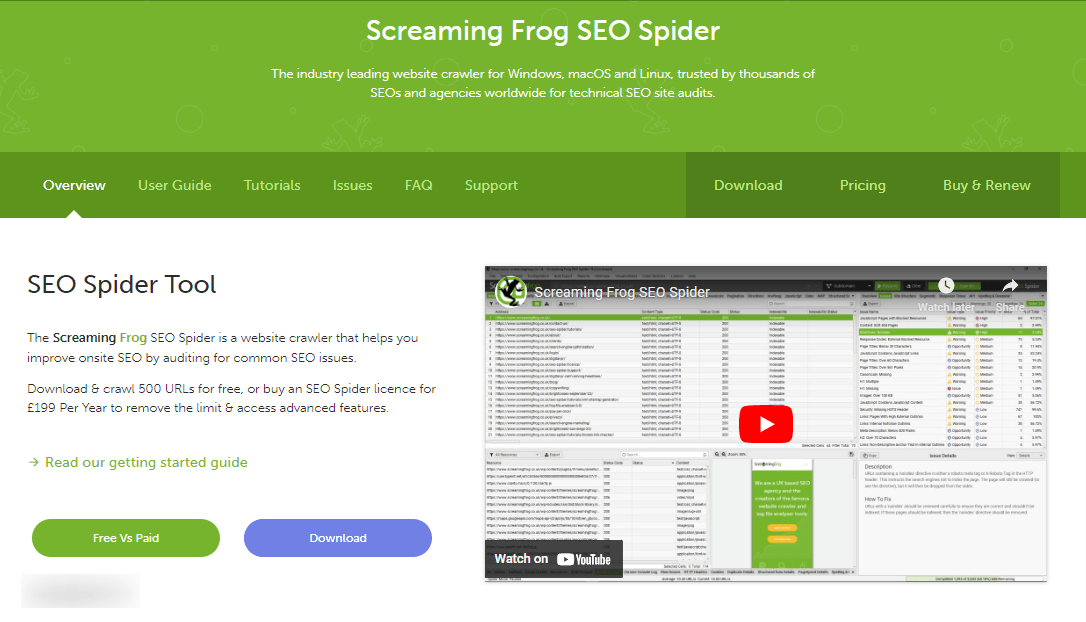
Screaming Frog sounds scary, but it’s actually a lifesaver when your site has grown and stuff starts breaking.
I use it to:
- Find broken links (404 errors)
- Catch missing meta descriptions or duplicate titles
- Check if pages are being properly indexed
Let me share with you some personal stuff.
A few months ago a client’s site suddenly dropped in traffic. We scanned it with Screaming Frog and found their blog archive had 70+ broken internal links after a URL structure change. We fixed them and rankings bounced back in weeks.
Related: How can you find and fix broken links and save your SEO?
ChatGPT – My brainstorm buddy
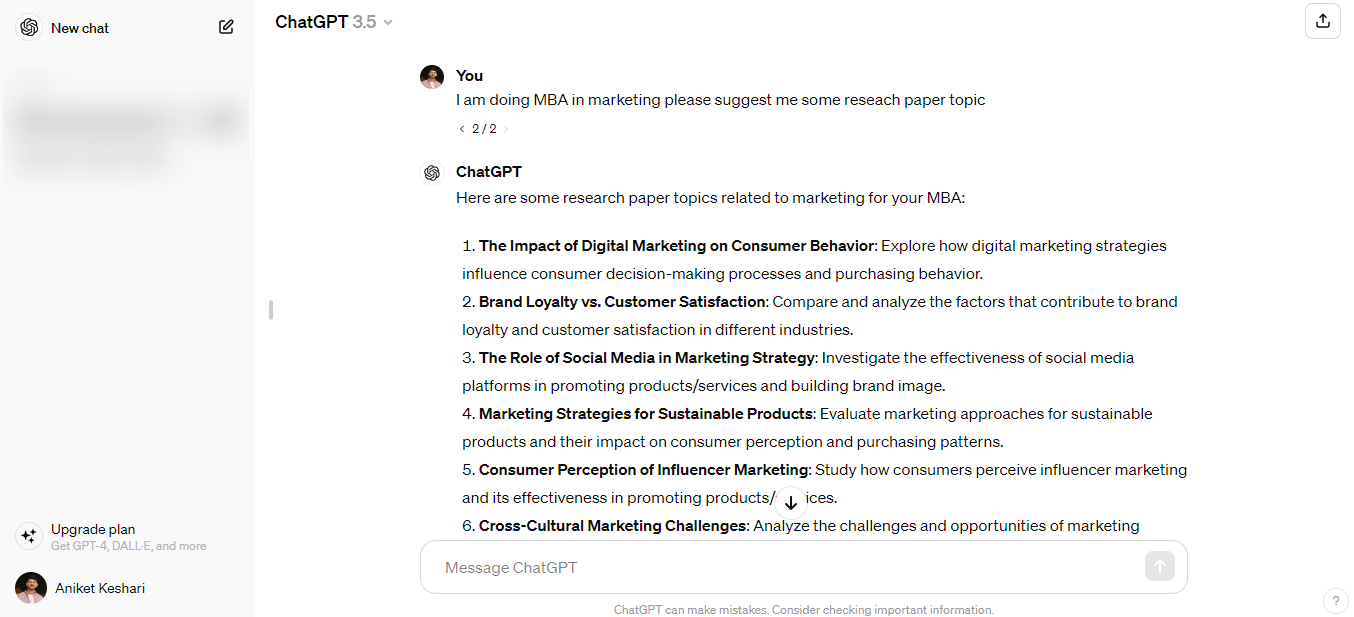
Yes, I use it.
No, I don’t let it write entire blog posts.
I use it for something different (will come to that). Before this, I want to let you know that It’s become one of my favorite tools for getting unstuck, moving faster, and thinking through ideas from different angles.
Now coming to how I actually use it in my workflow:
Brainstorm blog titles when I’m staring at a blank screen
I just type something like “Give me 10 blog title ideas for a post on best B2B SEO agencies”. It gets the ideas flowing, even if I don’t use them exactly as-is.
Reword awkward sentences or messages that feel clunky
Sometimes I’ll paste in a content paragraph or client message and say, “Can you make this clearer without sounding complex?” Boom, it’s done.
Build content outlines when I need structure
I’ll feed it a topic like “Topic clusters in SEO” and ask it to draft a logical outline with headings and sub-points. Saves me 20+ minutes of planning.
Understand audience questions I might miss
One of my favorite tricks:
“What are 10 beginner-level questions someone might have before using Ahrefs?”
This alone has provided SEO content ideas and helped me write more useful content that actually speaks to my readers.
Think of ChatGPT like a junior copywriter who never sleeps. But just like a junior, it needs guidance and your judgment.
You’re still the editor-in-chief.
Pro tip:
Never copy-paste its answers directly. Use it as a starting point, then rewrite, fact-check, and humanize everything before hitting publish.
10 white hat SEO techniques, and strategies that actually work in 2026
Here’s the heart of it, the strategies I use for my own sites and clients. These are real, not recycled fluff.
Keyword research (with intent mapping)
Let me tell you a quick story.
Back when I started blogging, I thought SEO was just about shoving in keywords like “best running shoes” five times in a paragraph. It worked, until it didn’t.
What changed? I stopped chasing keywords and started focusing on why people searched them.
Someone Googling “best running shoes for flat feet” doesn’t want a 2000-word generic post. They’re probably in pain. They want comfort, support, maybe a brand a friend trusts. That’s search intent.
Now I ask:
- Is the searcher looking to learn something?
- Are they comparing options?
- Or are they ready to buy?
Here’s what I do today:
Start with a broad topic
Something like email marketing, real estate SEO, or B2B SEO
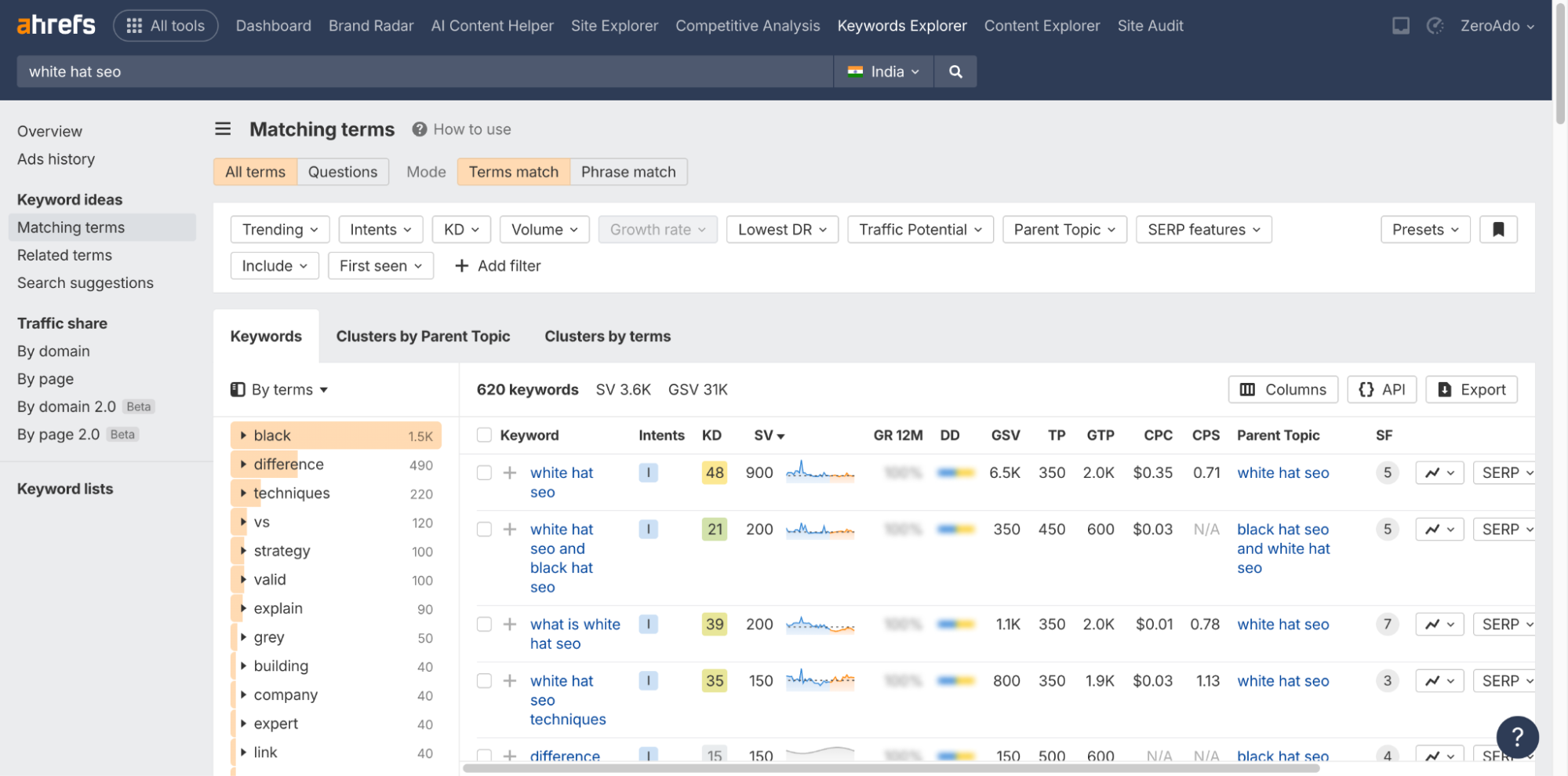
Use Ahrefs (or Semrush if that’s your tool)
Look at keyword ideas, search volume, keyword difficulty, and related questions
Check what’s ranking on Google
- Analyze the top 5–10 results
- Study how they structure their headlines and subheadings
- See what formats Google is favoring (guides, lists, videos, etc.)
Check the “People Also Ask” box
Find real questions people are asking around your topic
Group keywords by search intent
- Informational: They want to learn (e.g. “what is white hat SEO”)
- Comparative: They’re evaluating (e.g. “Ahrefs vs Semrush”)
- Transactional: They’re ready to act (e.g. “hire SEO expert for startups”)
Prioritize keywords that hit the sweet spot
- Medium competition
- Clear intent
- Matches something I can rank for with quality content
Tip:
If your blog post isn’t aligned with the reader’s mindset at that moment, it won’t rank, no matter how “optimized” it looks.
Topic clustering to build authority
There was a time I picked and wrote blogs based purely on my mood.
Today, a marketing post.
Tomorrow, a personal rant.
The day after that, a list of AI productivity apps.
Guess what? None of it ranked.
Why? Because Google (and real people) had no clue what my site was about. It was all over the place like a digital garage sale.
I also met some SEOs who worked the same way. Let’s say they’re handling SEO for an XYZ skincare brand. One day they publish a blog on “best email marketing platforms.”
Like… what?
Absolutely, it’s confusing. And if you want Google to trust your site, it needs to know what topic you’re a domain authority on.
That’s where topic clustering changed everything for me.
What I do now instead of random blogging
- Pick a core topic
- Wrote a pillar article (say, “Guide to B2B SEO”)
- Then wrote supporting articles like:
- How to do keyword research for B2B
- B2B landing page SEO tips
- Link building strategies for SaaS companies
I linked them all together like a web. Google started crawling deeper. Rankings improved. And readers stuck around longer.
What you can do:
- Pick a broad topic your audience cares about
- Create 5–7 smaller, connected posts on subtopics
- Internally link them with intent-based anchor text
This approach positions you as an authority, not just another blog trying to rank.
Content creation (people-first, SEO-smart)
When it comes to white hat search engine optimization, content is everything. And not just any content, I’m talking about content that genuinely helps people, answers real questions, and builds trust over time.
Let me tell you where I messed up early on.
I once wrote a blog titled “12 Best Link Building Services for SEO in 2025.” I used all the right keywords, had a catchy headline, even added a few SEO plugins. But guess what? It barely got any traffic. The bounce rate? Brutal. People clicked, skimmed, and left.
It wasn’t because my SEO was off. It was because my content wasn’t useful. It wasn’t human.
That’s when I learned: you can’t outsmart Google if you don’t serve the user first.
So, what does people-first, SEO-smart content actually mean?
Here’s what I’ve learned the hard way:
✅ Know who you’re writing for
Don’t write “content for content’s sake or just to put a check that you’ve done your job.”
Good content comes out when you know your reader like a real person.
Are they beginners or experts?
Are they in a hurry or deep research mode?
I ask myself:
“If someone landed here with a problem, would they leave with an answer?”
✅ Share what you actually know
The internet is full of recycled fluff. What cuts through is your own voice. Share what worked for you. Mention mistakes. Use real-life examples.
Even something as small as “Here’s how I used this tool for my client last week…” adds more value than 500 words of reworded advice.
✅ Structure it for humans (and Google)
You can write the most helpful post ever but if it’s a giant wall of text, no one’s going to read it.
What I do:
- Use clear headings (H2s and H3s)
- Break content into small chunks
- Add bullet points (like this)
- Include real screenshots if I can
Here’s my people-first content checklist:
- What would I say to someone if they asked me this in person?
- What did I wish I knew when I was Googling this myself?
- What can I add that AI or generic blogs can’t?
- Am I actually saying something useful or just echoing what’s already out there?
- Would I send this to a friend who asked the same question?
- Does it sound like me, or like an article I found on page 6 of Google?
SEO still matters, but if the content doesn’t feel genuine, readers won’t stay. And if they don’t stay? Google notices.
On-page SEO optimization
I’ll keep this simple because honestly, on-page SEO isn’t as complicated as people make it sound.
If you’ve ever asked, “What exactly should I do on my page to make it SEO-friendly?”, I’ve been there too.
In the beginning when I first heard the term “on-page SEO,” I thought it was a different type of SEO where we needed to stuff keywords into every corner of the page. I even added “best cheap marketing tips” to image file names. Yeah, cringe.
But over time, I realized that on-page SEO is really just about making things clear for Google and for your reader.
Now, every time I publish something, I do a 5-minute checklist mentioned below.
- Title tag: Does it clearly tell what this page is about? Would you click on it?
- Meta description: Is it short, specific, and makes you want to read more?
- Headings (H1, H2, H3): Are they structured like a logical table of contents?
- URL: Is it short, simple, and doesn’t have a bunch of random numbers or dates?
- Images: Do they have descriptive alt text that makes sense?
I’m not trying to “trick” Google anymore. I’m just trying to make things easy to understand.
And trust me, when you do this consistently, Google notices. More importantly, your readers notice.
Page performance for good UX (Technical SEO)

One time, I built a gorgeous digital marketing services landing page with animations, colors, and a parallax scrolling effect. It looked amazing… on my laptop. But when I tested it on my phone?
It loaded like a snail. And 80% of my traffic was mobile.
That’s when I learned: Speed isn’t a “tech thing,” it’s a user thing.
Today, before I worry about ranking, I ask:
- Does this page load in under 2 seconds?
- Does it work just as well on mobile as desktop?
- Are there any broken links, weird redirects, or anything else that hinder the page performance?
Here’s what I now do before every launch:
- Run it through Google PageSpeed Insights
- Use Screaming Frog to find crawl errors
- Compress all images (I use TinyPNG or WebP format)
- Avoid unnecessary plugins or bloated themes
Remember: Good SEO starts with a good user experience. And speed is a huge part of that.
Utilize structured data

At first structured data sounded technical and intimidating to me.
I thought I’d need a developer, some JSON code wizardry, and hours of extra work. So I ignored it.
But eventually, I gave it a shot. I added a simple FAQ schema to one of my blog posts. No big changes, just a couple of common questions formatted properly.
A week later, I noticed something interesting in Google search results, my post was taking up more space. It showed the FAQ right there in the listing. And the click-through rate? It jumped.
That was my wake-up call.
Structured data is just a way to help Google understand what your content is about. And in return, Google may reward you with rich results like star ratings, FAQ dropdowns, event dates, and more.
How I add structured data (without coding):
- Use Schema Markup Generator where you can literally copy and paste the code it gives you
- For WordPress, plugins like RankMath or Yoast make it seamless
- Add it for pages like:
- Blog posts (use “Article” schema)
- FAQs
- Reviews
- Recipes
- Events
You don’t have to add schema to every single page. But adding it to the right content can give you that extra visibility without writing a single new word.
If SEO is about being helpful and visible, structured data quietly helps with both.
Build quality backlinks (without being spammy)
This is something that I literally didn’t want to do earlier (I’ll come to the reason in a second)… but funny enough, it’s one of the things I’ve started to genuinely enjoy lately and probably will even more in the future.
So, what changed?
Let’s rewind.
As I mentioned above when I was just starting out, I was posting all kinds of stuff, random blogs, copied product descriptions, half-baked ideas with zero clarity on who I was writing for. Meaning I’ve no clear niche, no structure, and definitely no personal connection with my readers.
Then I’d follow that up by sending cold emails like,
“Hey, I just published this blog. Would you mind linking to it?”
I probably sent out 100 of those. Got ignored 99 times.
The one reply I did get? It was from a site that provided PBN backlinks and looked like it hadn’t been updated since 2012, filled with ads and spammy affiliate links.
That’s when a friend of mine (a proper SEO nerd, in the best way) told me bluntly:
“It’s not that people are ignoring you. It’s that your content isn’t link-worthy yet.”
Ouch… but he was right.
That one piece of advice flipped my mindset:
“What if I built something so useful that people wanted to link to it?”
So I stopped chasing links… and started focusing on content people would naturally share.
So I created:
- A Notion template for SEO audits
- A list of free marketing tools with real use-cases
- A blog post that explained a tricky topic with examples no one else shared
And guess what? I got high authority backlinks. From blogs, newsletters, even a few industry forums.
Here’s what works for me:
- Create content that’s better or more specific than what’s out there
- Share it in communities where people care (LinkedIn, Reddit, Slack groups)
- Build relationships like comment, connect, and collaborate
- Offer value first (not “hey can you link to me”)
What I learned the hard way:
You don’t need hundreds of backlinks literally. You need a few good ones from trusted sources that come from being genuinely helpful.
In simple terms.
“Don’t chase links. Earn them by being genuinely useful.”
Internal linking
A few months ago, I was helping a friend (another one) fix their blog traffic. Their content was solid, useful posts, good structure, even they got a few backlinks. But the numbers? Flat.
We sat down, opened up Google Analytics, and saw the same thing over and over again: visitors were landing on one blog… and then leaving.
So I asked, “Have you linked any of your posts to each other?”
They looked at me and said, “Wait… like, manually?”
Yes. Manually. Intentionally.
Then I realized that the thing most people miss:
Internal links aren’t just for SEO. They’re for humans too.
They keep your readers exploring. They guide people from one idea to the next. And yes they help Google crawl and understand your site better.
When you do it right, internal linking makes your website feel like a well-organized bookshelf, not a messy pile of blog posts.
Here’s what I try to do on every blog post:
- Link to 2–3 relevant articles naturally like I did in this blog post and where it actually helps the reader.
- Use descriptive anchor text so instead of “click here,” I’d write “see our step-by-step guide to topic clustering.”
- Update old posts to link to newer ones most people only link forward. Go back and build backward links too.
Tip:
Whenever you publish something new, ask yourself:
“Where else on my site would this be useful to mention?”
Then go add a link there. Takes 5 minutes, boosts engagement, and silently improves your SEO behind the scenes.
Update old content regularly
Now this pointer? I didn’t even plan to include it at first.
But while I was writing about internal linking and thinking back to old blog posts, I realized, how can we not talk about updating old content? Otherwise, this would’ve been 9 ways, not 10. So… kudos to my brain for showing up last minute.
Honestly, I used to think once a blog was published, that was it. Job done. On to the next one.
But the truth no one tells you:
Some of your best SEO wins come not from writing new content, but from refreshing the stuff you already have.
Let me give you an example.
I had a blog post I wrote in 2024 about “YouTube SEO tools.” It did well for a while, but traffic slowly dropped off. One day I checked it and realized:
- Half the tools were outdated
- The screenshots looked like Windows XP
- And it was missing new tools that were trending now
I updated it with:
- Fresh tools
- Clean, new visuals
- An intro that actually made sense in 2026
- Internal links to newer blog posts I’d written
Within 2 weeks, traffic started climbing again. No backlinks, no social push, just a refresh.
Related: How You Can 10X SEO Traffic by Updating Your Old Content?
Here’s my simple update checklist:
✅ Replace outdated stats, tools, or references
✅ Improve headlines or intros if they feel flat
✅ Add new sections based on reader questions or SEO gaps
✅ Recheck and fix any broken links
✅ Add internal links to newer related posts
Tip:
You already did the hard work once. So before burning out writing 50 new posts this year, go back and show some love to the old ones.
Sometimes, that’s all it takes to get back on Google’s radar.
Focus on UX metrics like time-on-page and bounce rate

Alright, let’s wrap this up with something a bit underrated but super important if you care about long-term SEO.
User experience.
Now, I know what you might be thinking:
“Wait… what do time-on-page and scroll depth have to do with white hat SEO?”
Well, everything.
Let me explain.
I once had a blog post that was ranking in the top 5 for a pretty competitive keyword. Tons of clicks, which felt great. But over time, I noticed something weird, the ranking slipped, and I had no idea why.
So I checked the behavior metrics in Google Analytics (back when Universal was still around), and guess what?
People were landing on the page… and leaving within 10 seconds.
Why? Because it was:
- A wall of text
- No subheadings
- No visuals
- And worst of all, the intro didn’t actually answer the question people came for
So I went back, restructured the content, added a table of contents, broke things into sections, and included some real-life examples like this blog has.
You know what happened?
People started staying longer. They scrolled. They engaged. Rankings recovered and even better. That’s the benefit of SEO.
I’m not saying scroll depth is a direct ranking factor but if users are bouncing fast, Google sees that as a signal: “This page probably isn’t helpful.”
So what can you do right now?
- Keep your paragraphs short and scannable
- Use clear subheadings that help people find what they need fast
- Add real images or screenshots (not stock photos of people pointing at charts)
- Use tools like Hotjar or Microsoft Clarity to see how far people actually scroll
- Make sure your page doesn’t feel like homework, make it feel like help
My rule of thumb:
If I don’t want to read this on my phone while waiting in line for coffee, it’s not good enough yet.
White hat SEO tips and mistakes to avoid
Doing SEO the “right” way sounds good, but it’s easy to mess up when you’re just trying to grow your site and get some traffic.
I’ve made a bunch of mistakes along the way. Like trying to squeeze the same keyword into every sentence. Or thinking I could write one blog post a month and magically rank on Google. Or publishing something and never checking on it again.
So here are a few simple tips that can save you time, energy, and a lot of frustration.
✅ What’s actually helpful
Write for real people first, not search engines
If your content doesn’t help someone solve a problem or answer a question, it won’t last in search results.
Use AI to help, not replace your voice
Tools like ChatGPT are great for brainstorming or outlines. But make sure the final content sounds like you.
Keep showing up, even if results are slow
White Hat SEO isn’t fast. But when it works, it builds real, long-term traffic.
Stick to one clear topic per blog
Don’t try to cover too much at once. Focus on helping one type of reader with one clear problem.
Check what’s actually working
Ask yourself:
- Are people finding this page through search?
- Are they staying to read it?
- Are they doing anything next?
❌ What to avoid (from experience)
Using the same keyword too many times
It doesn’t help. It just makes your writing awkward.
Writing content just to “post something”
One great article is better than five rushed ones.
Ignoring your website speed or broken links
Slow or messy pages are frustrating to visitors and hurt your rankings.
Asking for backlinks without offering anything useful
Create helpful, original content that people actually want to share.
Forgetting to update old posts
If your blog mentions “new tools for 2022,” it’s time to fix it.
A personal note:
I used to think SEO was a formula. Plug in some keywords, publish, and rank. But White Hat SEO? It’s more like gardening.
You plant the seeds (your content), water them (optimize + update), and give it time. Some things grow fast. Others take a season. But if you’re consistent and patient it definitely works.
White hat SEO = Long-term growth
If there’s one thing I’ve learned after years of trial and error, it’s this, white hat SEO is not a quick win, but it’s a smart one.
It’s about building real trust, showing up consistently, and creating content that actually helps people.
You won’t see overnight results. And you’ll need patience. But if you stick with it and keep doing the right things, the growth is steady, sustainable, and way more rewarding than any shortcut ever could be.
So whether you’re just starting out or cleaning up after a few SEO mistakes (like I did), the path forward is clear:
Focus on people. Stay consistent. Improve a little every month.
And if you ever feel stuck or unsure what to do next?
That’s where we come in.
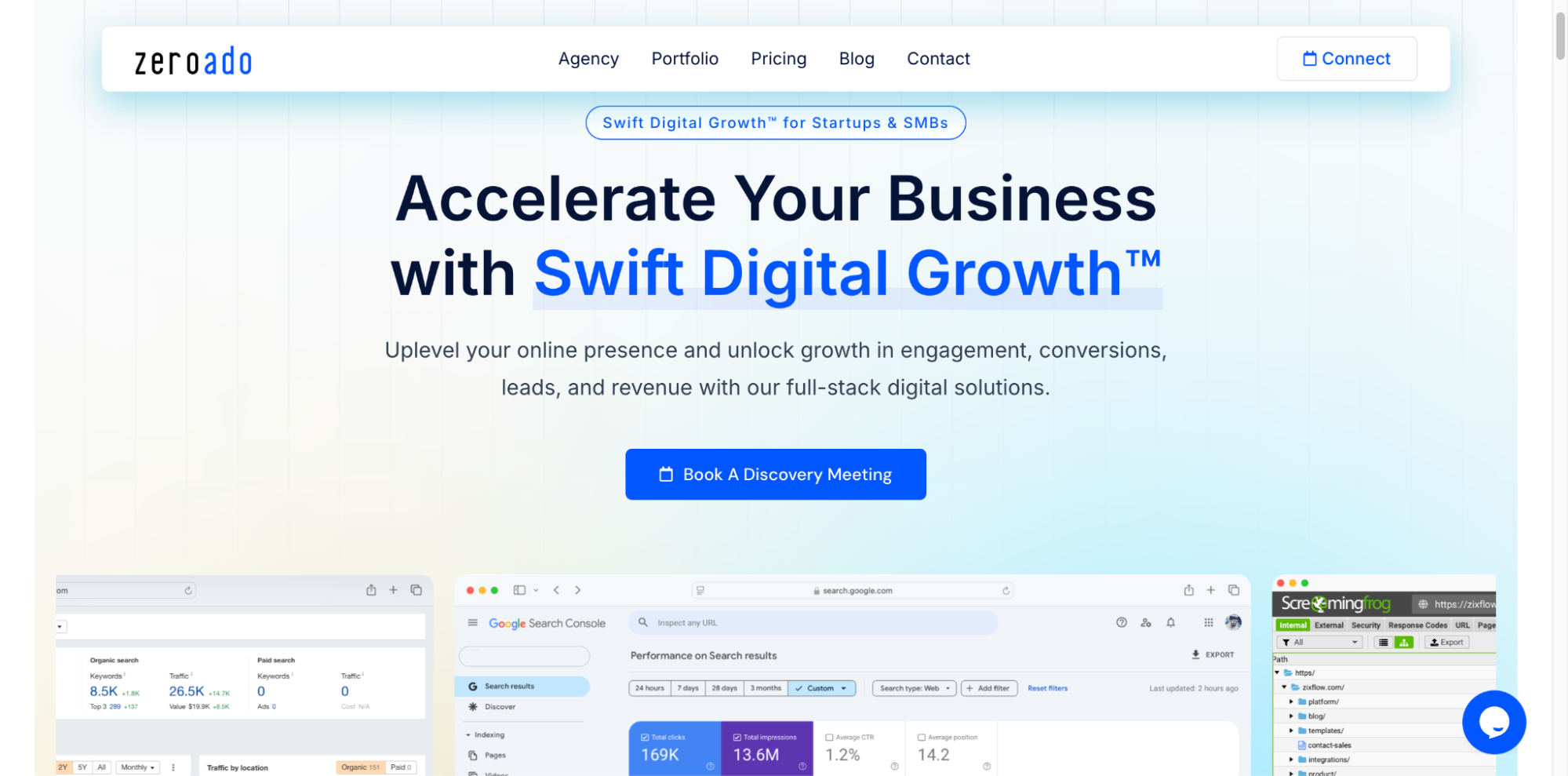
At ZeroAdo, we help startups and growing businesses like yours do SEO the right way.
No tricks, no jargon, just smart, honest strategies that get real results.
Book a free consultation and let’s build something that lasts.
